Can You Hide Your Followers on Instagram? Privacy Options Explained
Instagram has no switch that hides your follower list from selected approved followers, but a private account, follower removal, and blocking give you useful control.
You cannot hide only your follower list from selected approved followers. Make your account private to hide the list from people you have not approved, then remove or block specific accounts when needed.
Before you start
Decide who should lose access. Removing a follower is less restrictive; blocking also prevents that account from finding and interacting with your profile in the usual ways.
Follow the steps
Review your followers
Open your profile and tap Followers. If the account is private, you can remove a person who should no longer have follower access.
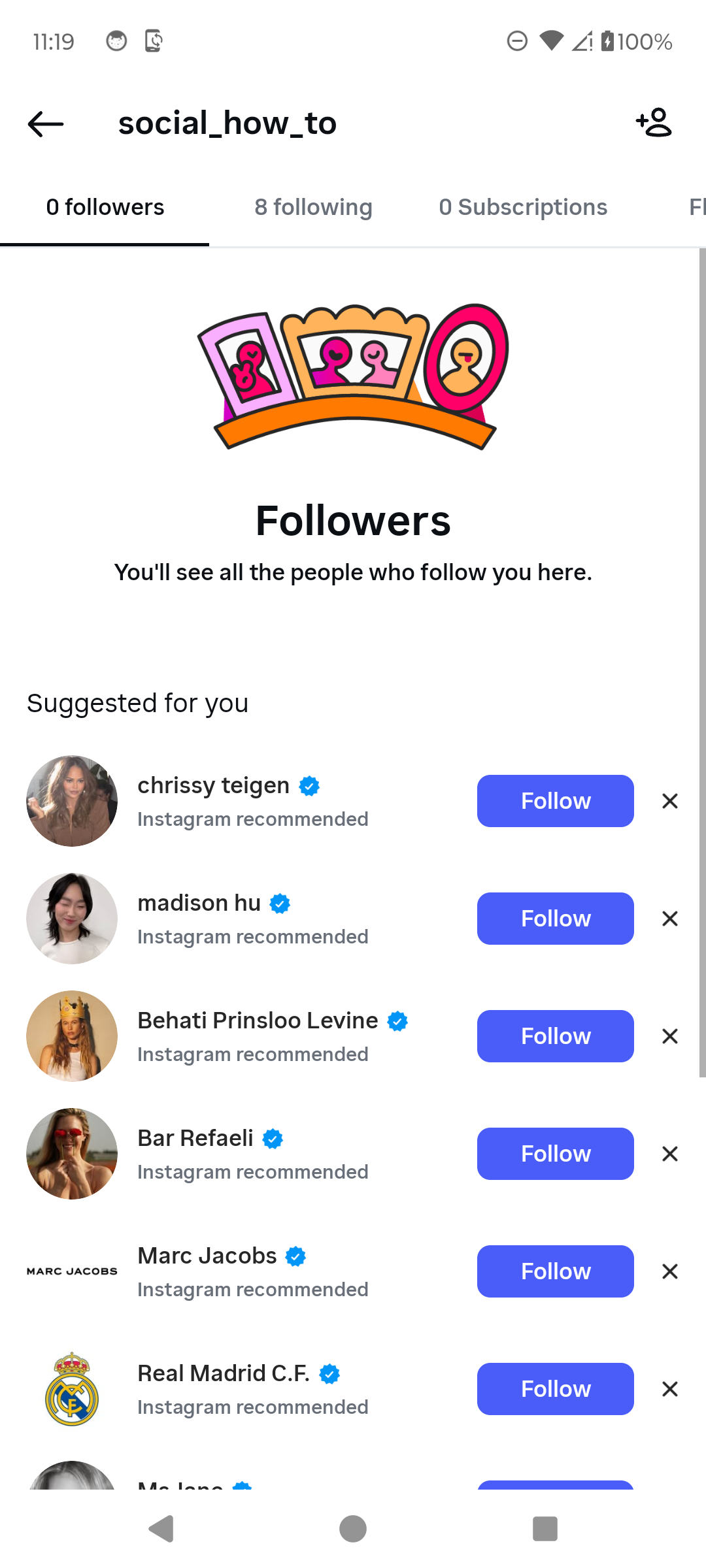
Start by reviewing your followers. · Tap to enlarge Open Account privacy
Go back to your profile, tap the three-line menu, and scroll to Who can see your content. Tap Account privacy.
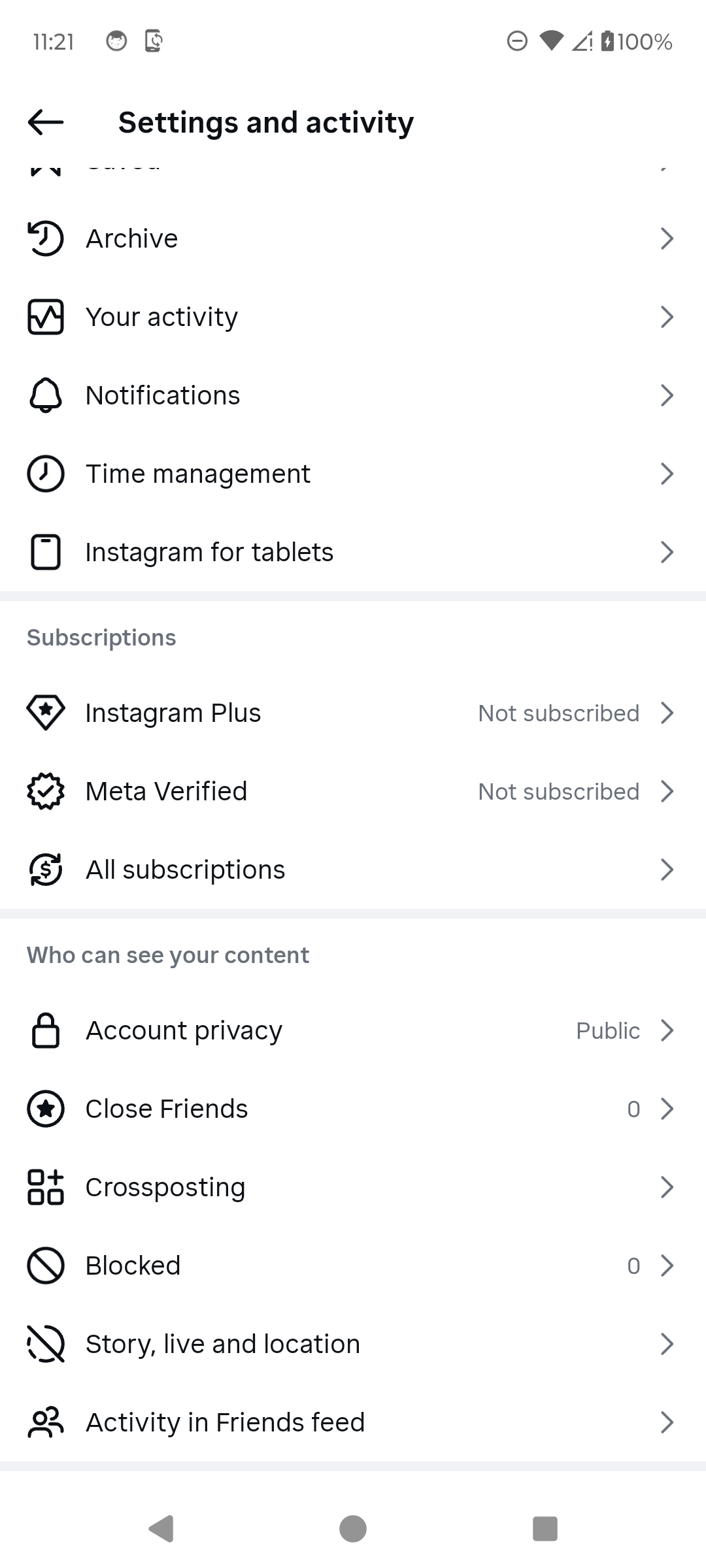
Find the privacy controls. · Tap to enlarge Understand what Private account changes
Instagram says a private account lets only approved followers see what you share and your followers and following lists. Approved followers can still see those lists.

Private limits the lists to approved followers. · Tap to enlarge Block when you need stronger separation
Return to Settings and activity, open Blocked, then tap Add to choose an account. Review the final confirmation before blocking anyone.

Blocked accounts provides the stronger option. · Tap to enlarge
A couple of useful details
Can approved followers see my follower list?
Yes. Instagram’s current private-account setting limits the list to followers you approve; it does not hide the list from selected approved followers.
Does a private account hide everything?
No. Instagram says information such as your username and profile picture can remain visible to everyone.
Should I remove or block someone?
Remove them if you only want to revoke follower access on a private account. Block them when you need a stronger separation.
Something not quite right?
Help us keep this guide accurate. A quick flag is enough.
Your report is sent to the Social How-To editorial team.