How to Download Your Instagram Videos and Eligible Reels
Save your own original media automatically and download a Reel only when Instagram and the creator make the option available.
For your own camera media, open Archiving and downloading and review the camera-roll controls. For another eligible Reel, open Share and tap Download only if that action appears.
Before you start
Respect copyright and privacy. A missing Download action means that Reel is not available for direct download in your current app, region, or under the creator’s settings.
Follow the steps
Find your automatic save controls
In Settings and activity, search for “download” and open Archiving and downloading.
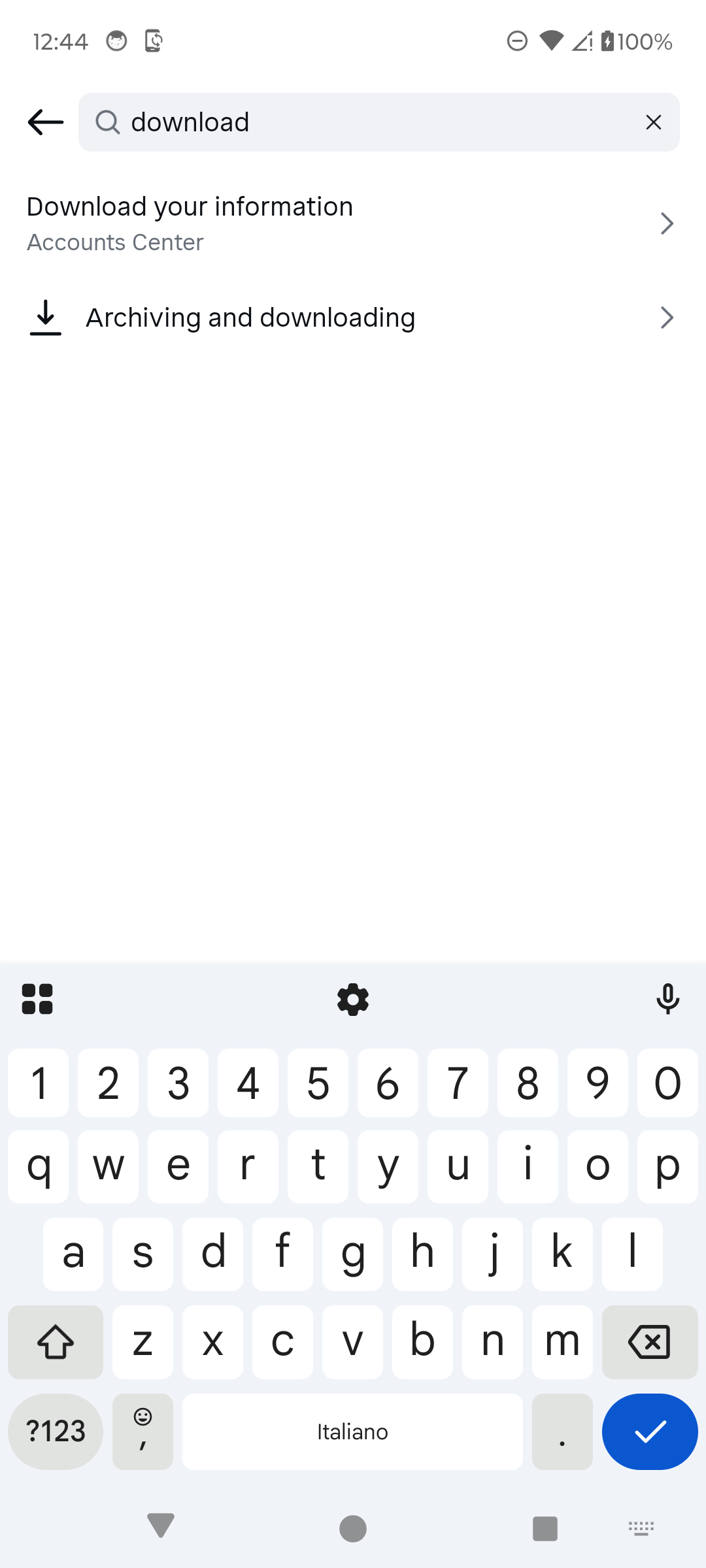
Open Archiving and downloading. · Tap to enlarge Review saving for your own media
Use Save original photos for media taken with Instagram’s feed camera, and Save story to gallery when you want Story media copied to the phone.
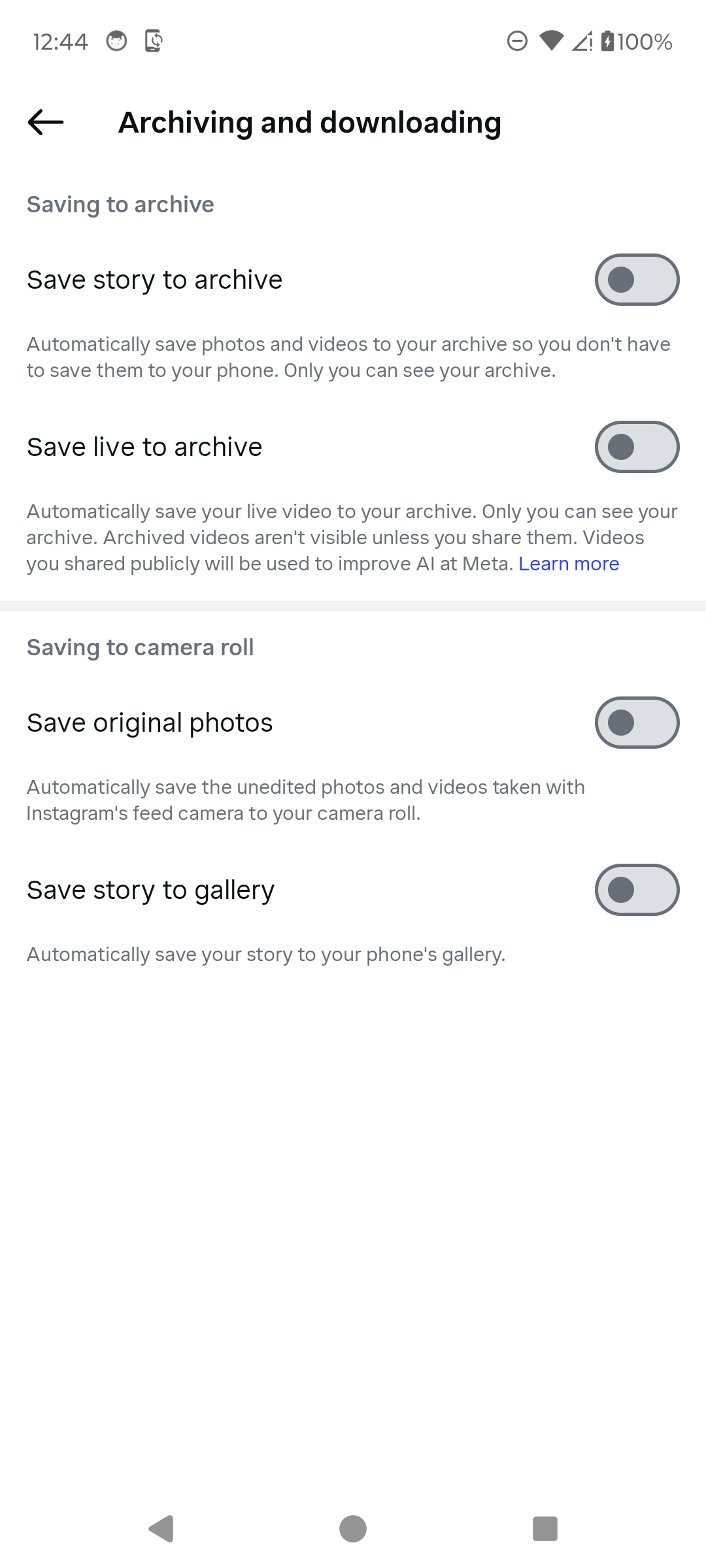
Choose which of your own media to save. · Tap to enlarge Check the Reel Share actions
For a public Reel, tap Share and inspect the action row. Tap Download only when it appears. Do not confuse Copy link or Save with a device download.

Download appears only for eligible Reels. · Tap to enlarge Treat a missing option as unavailable
If Download is absent from Share and More, that Reel is not directly downloadable through Instagram for this account. Use Save to bookmark it inside Instagram instead.

A missing Download action means the Reel is ineligible. · Tap to enlarge
A couple of useful details
Why is there no Download button?
The creator, media type, region, music rights, or Instagram eligibility rules may prevent downloading.
Is Save the same as Download?
No. Save bookmarks content inside Instagram; Download creates a file on the device.
How can I keep my own Story media?
Archiving and downloading includes Save story to gallery and private archive controls.
Something not quite right?
Help us keep this guide accurate. A quick flag is enough.
Your report is sent to the Social How-To editorial team.