How to Write and Edit Your Instagram Bio
Add a clear, compact description to your Instagram profile and preview it before you finish.
Open your profile, tap Edit profile, choose Bio, write up to 150 characters, then tap the check mark to save.
Before you start
Prepare one or two short lines that explain who you are or what the account offers. Put the most useful words first.
Follow the steps
Open your profile
Tap your profile picture at the bottom right, then tap Edit profile.
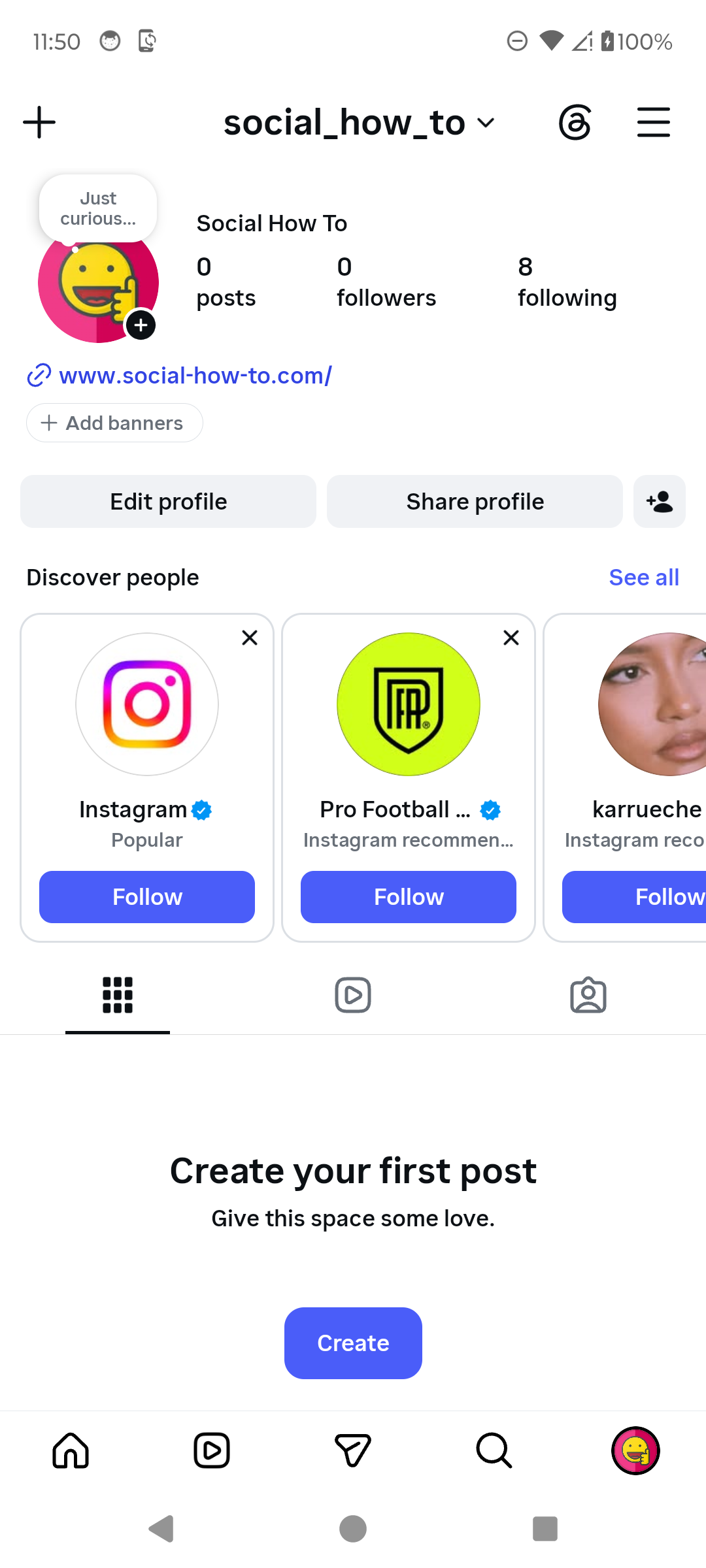
Open Edit profile from your profile. · Tap to enlarge Choose Bio
On Edit profile, tap Bio. Instagram currently allows up to 150 characters.

Tap Bio to edit it. · Tap to enlarge Write and save
Write a short description, check spelling and links, then tap the check mark. Return to your profile to confirm how it looks.

Write the bio and use the check mark to save. · Tap to enlarge
A couple of useful details
How long can an Instagram bio be?
The current Android editor shows a 150-character limit.
Can I add line breaks?
Yes. Use line breaks sparingly so the bio remains easy to scan.
Where do I add a clickable website?
Use the Links area in Edit profile rather than relying on a URL typed only in the bio.
Something not quite right?
Help us keep this guide accurate. A quick flag is enough.
Your report is sent to the Social How-To editorial team.