How to Hide Your Instagram Story from Someone
Prevent selected people from seeing future Stories and live videos without blocking them.
Search Settings and activity for Story, live and location, open Hide story and live from, select the people, and tap Done.
Before you start
This setting also hides live videos from the selected accounts. It does not hide your profile, feed posts, or messages from them.
Follow the steps
Search for the Story controls
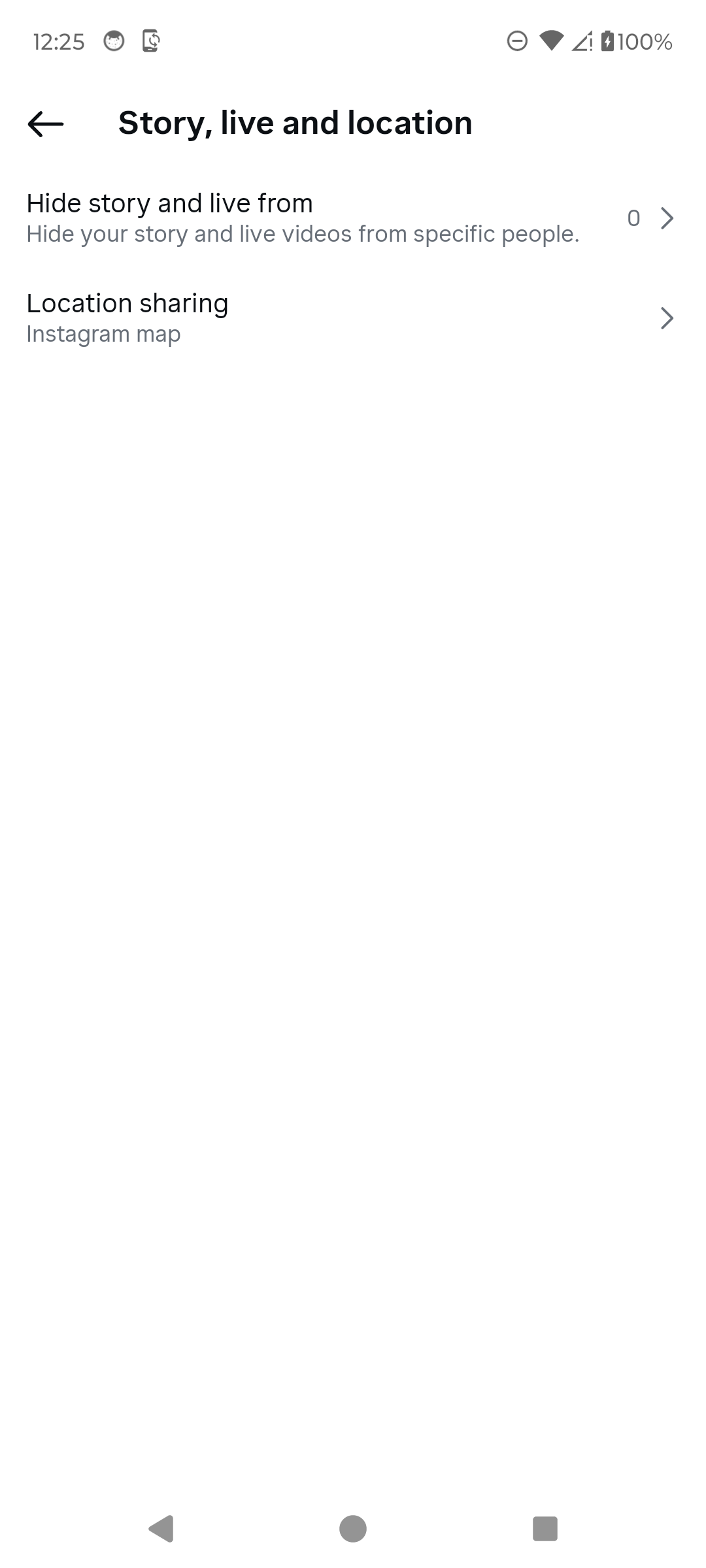
Open Settings and activity, tap Search, and enter “hide story”. Choose Story, live and location.

Open Story, live and location. · Tap to enlarge Open Hide story and live from
Tap Hide story and live from. Instagram shows how many people are currently selected.
Open the visibility list. · Tap to enlarge Select people and finish
Search for the person, select the account, then tap Done. Return here later and clear the selection to restore visibility.

Select only the intended accounts. · Tap to enlarge
A couple of useful details
Will Instagram notify them?
Instagram does not send a notification when you add someone to this visibility list.
Does this block the account?
No. It changes Story and live visibility only.
How do I show Stories to them again?
Return to Hide story and live from, clear the selection, and tap Done.
Something not quite right?
Help us keep this guide accurate. A quick flag is enough.
Your report is sent to the Social How-To editorial team.