How to Add Music to an Instagram Story
Choose music from Instagram’s catalog, preview a track, and add it to a Story before selecting the audience.
Open Create, choose Story, tap Music, select a track and clip, then review the Story and choose Your story or Close Friends.
Before you start
Music availability varies by country, account type, and track rights. Check the audience before publishing.
Follow the steps
Open Music from Add to story
Tap Create, choose Story, then tap Music at the top of Add to story. You can also add music later from the sticker tools.
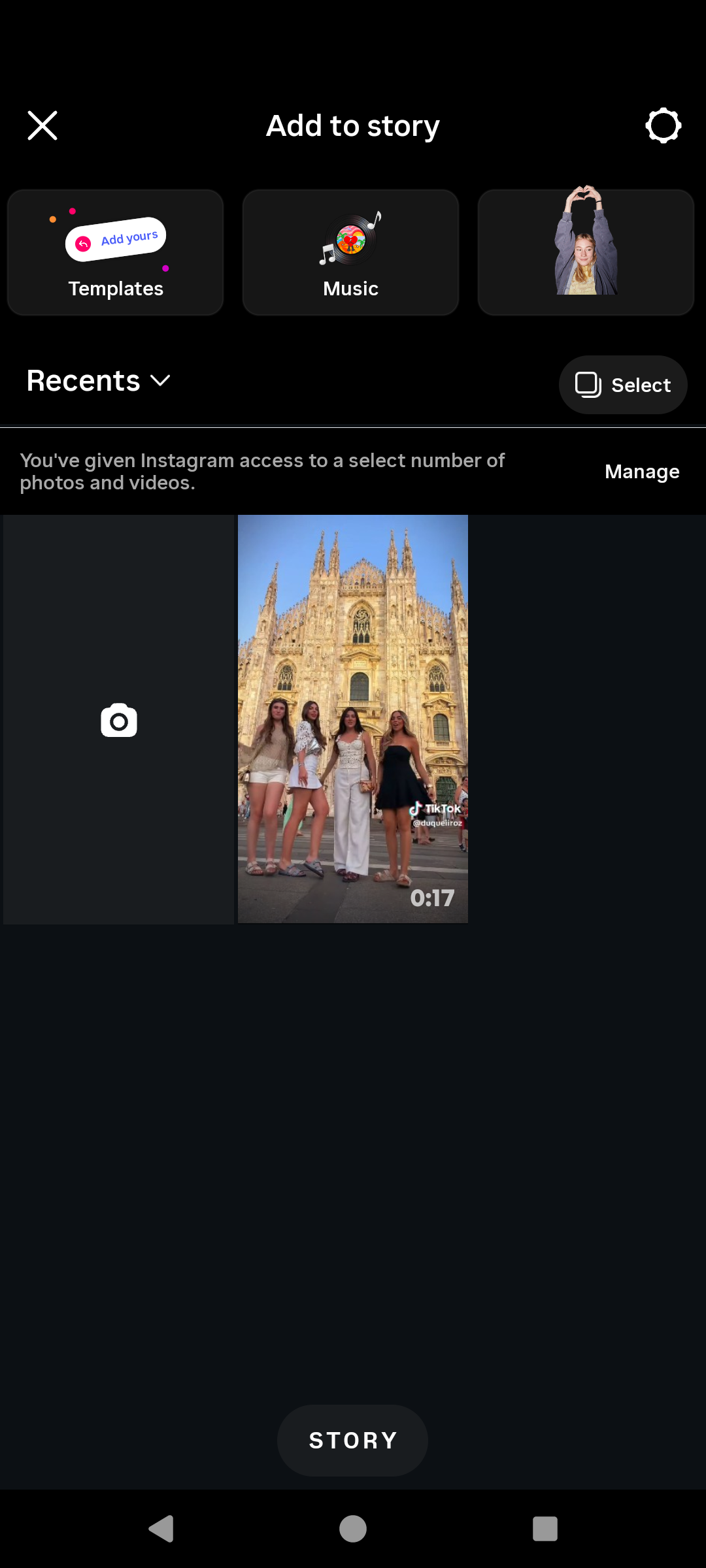
Open the Music catalog. · Tap to enlarge Find and preview a track
Search or browse the catalog. Tap a track to preview it, choose the part you want, then use the arrow to continue.
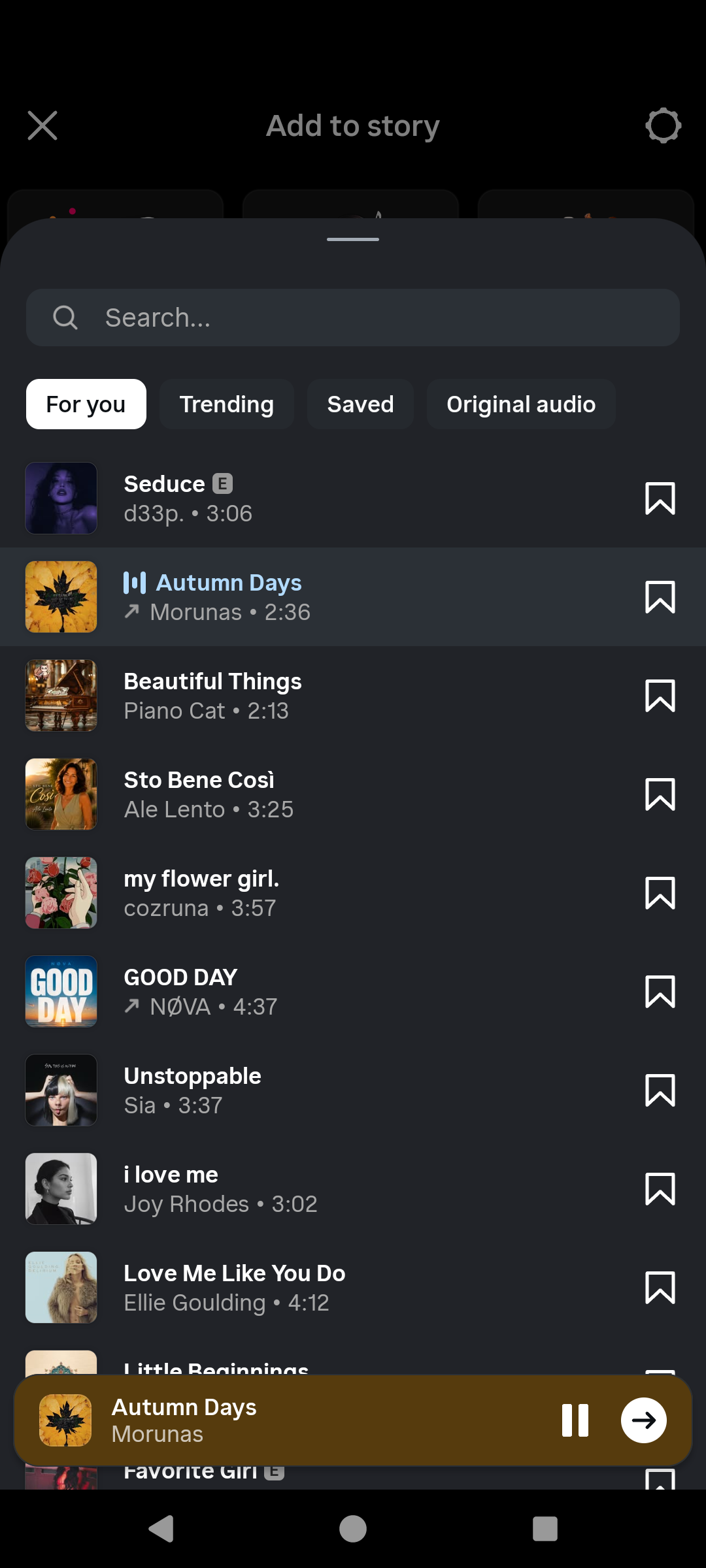
Preview the track before adding it. · Tap to enlarge Review the Story and audience
Adjust the music style and other creative tools. When ready, choose Your story or Close Friends. Do not tap either until the audience is correct.

Check the Story and audience before sharing. · Tap to enlarge
A couple of useful details
Can I search for a specific song?
Yes. The Music screen includes Search and sections such as For you, Trending, Saved, and Original audio.
Can I change the music after publishing?
No. Review the track and clip before sharing the Story.
Why can’t I find a song?
Licensing, region, and account type can change which tracks are available.
Something not quite right?
Help us keep this guide accurate. A quick flag is enough.
Your report is sent to the Social How-To editorial team.