Instagram Not Loading? What to Check and How to Fix It
Work through connection, restart, update, and cache checks when Instagram will not load or refresh.
Check whether other sites work, close and reopen Instagram, install any store update, then clear only Instagram’s cache on Android before trying again.
Before you start
Know your login and recovery details before clearing storage, reinstalling, or signing out. Start with the least disruptive checks.
Follow the steps
Restart Instagram and check connectivity
Close Instagram and reopen it. If it still fails, confirm another app or website loads, then try Wi-Fi and mobile data. Android users can open App info to see Force stop and Mobile data & Wi-Fi.

Restart the app and check its connection. · Tap to enlarge Open Storage & cache
In Android App info, tap Storage & cache. Check that the phone has free space and distinguish Clear cache from Clear storage.
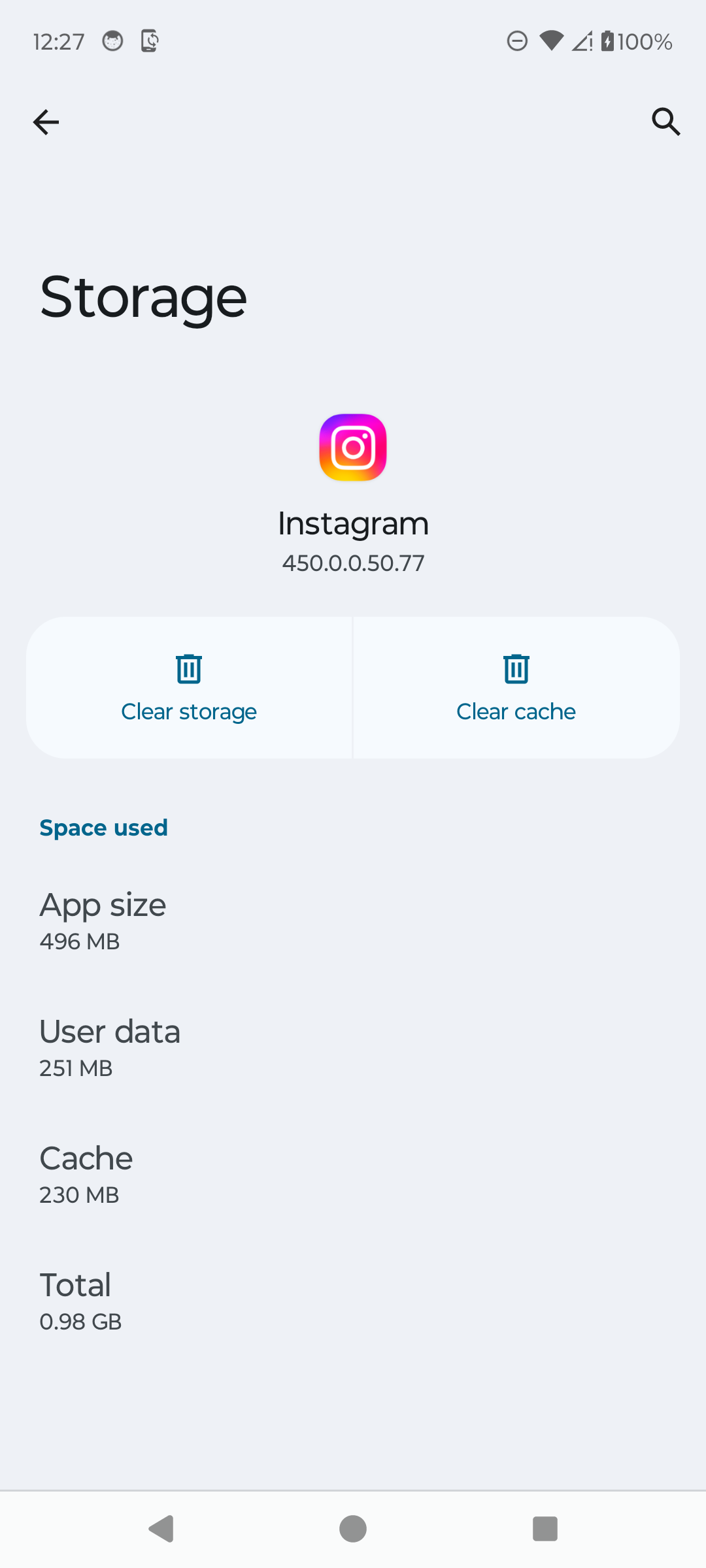
Choose Clear cache, not Clear storage. · Tap to enlarge Clear temporary cache files
Tap Clear cache and reopen Instagram. If the problem remains, check Google Play or the App Store for an update before considering reinstalling.
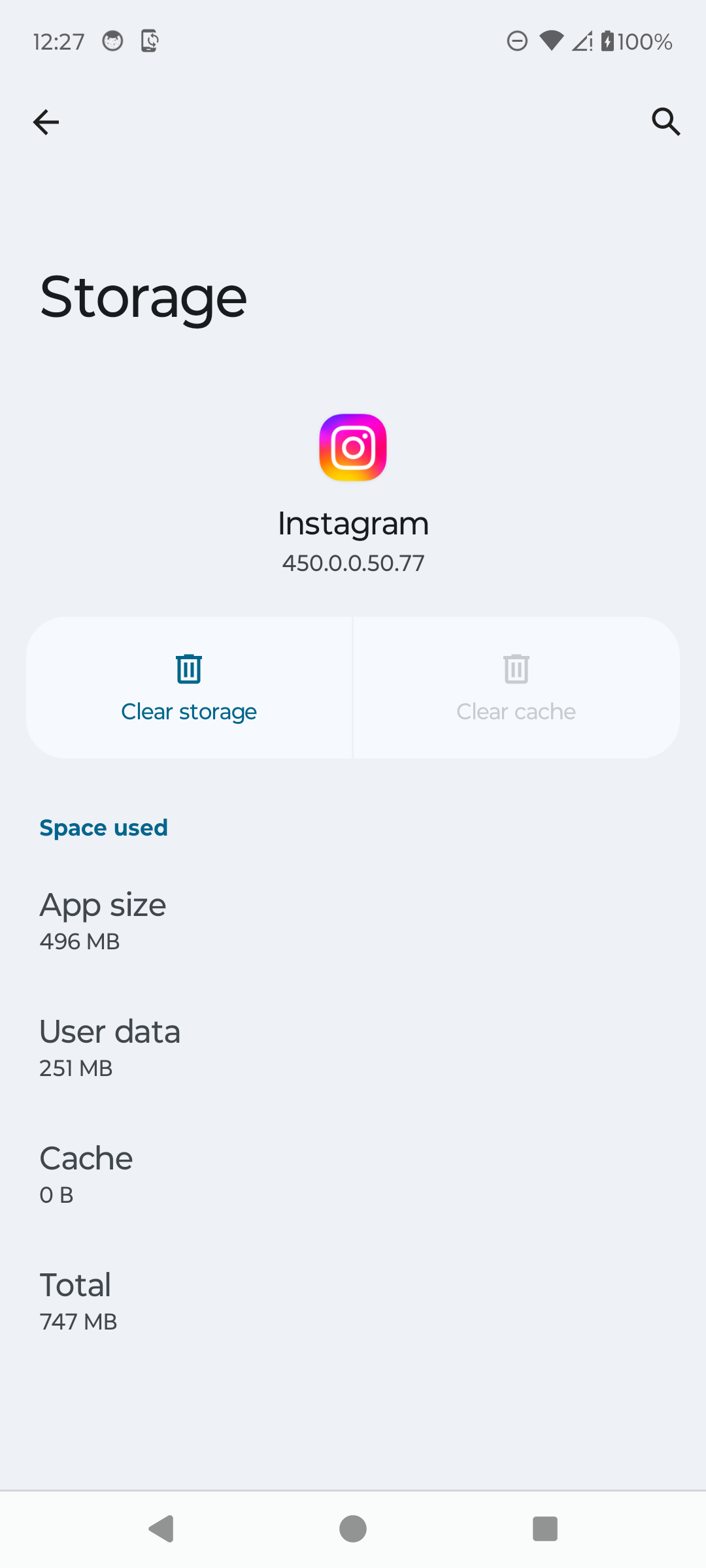
Reopen Instagram after clearing its cache. · Tap to enlarge
A couple of useful details
Will clearing cache delete my Instagram account?
No. Android Clear cache removes temporary app files. Do not choose Clear storage unless you understand that it resets local app data.
What if only Instagram is down?
Try another connection and check Instagram again later; a service outage cannot be fixed from the phone.
When should I reinstall?
Use reinstalling after restart, update, connection, and cache checks fail, and only when you can log back in.
Something not quite right?
Help us keep this guide accurate. A quick flag is enough.
Your report is sent to the Social How-To editorial team.