How to Change Your TikTok Username
Change the @username shown on your TikTok profile and used in your profile link.
Open Profile, tap Edit profile, choose Username, enter an available username, and tap Save.
Before you start
TikTok lets you change your username once every 30 days. Changing it also changes your profile link. Usernames may contain letters, numbers, underscores, and periods, but cannot end with a period.
Follow the steps
Open Edit profile
Open TikTok and tap Profile at the bottom right. Tap the pencil icon or Edit profile.
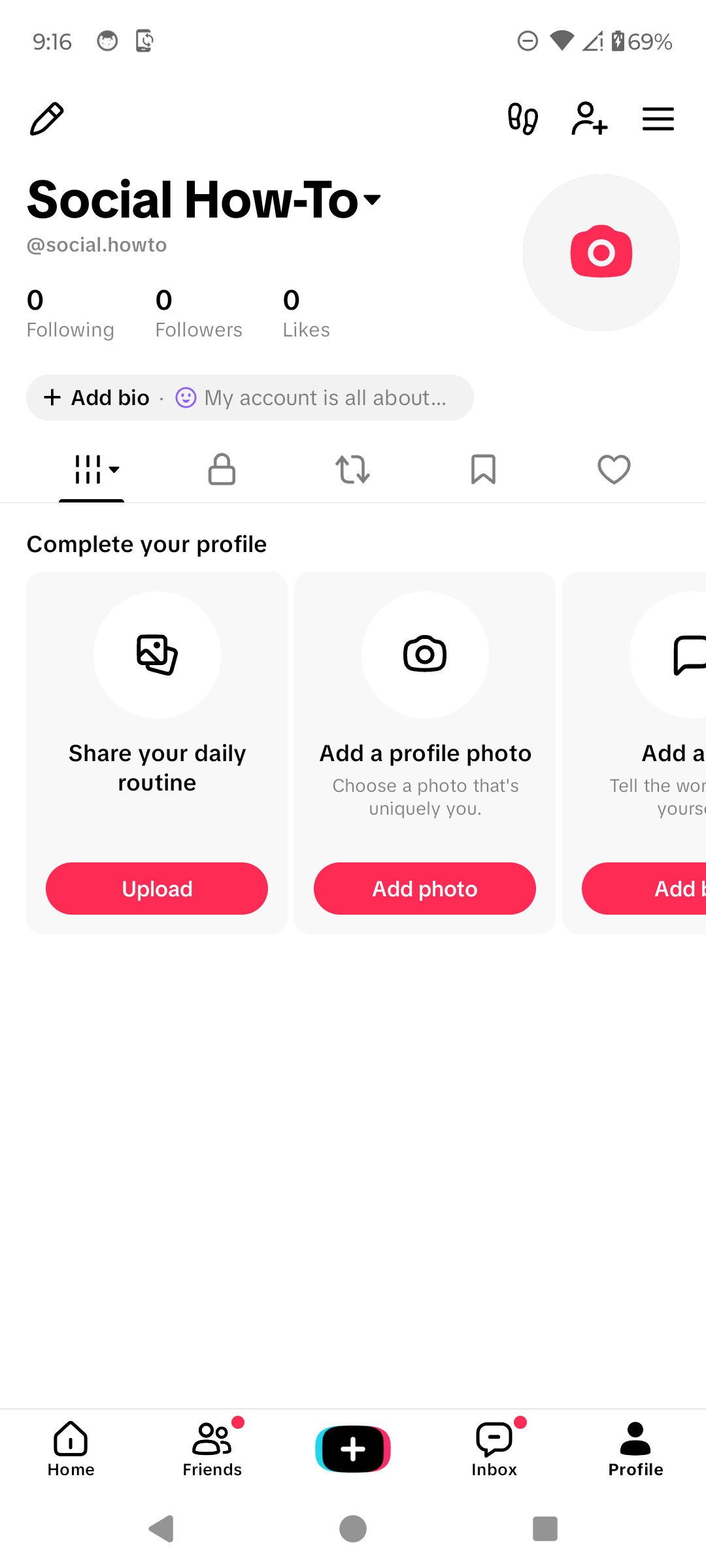
Open Edit profile. · Tap to enlarge Choose Username
Tap Username. Do not confuse it with Name: your username begins with @ and is part of your TikTok profile link.

Tap Username. · Tap to enlarge Enter the new username and save
Replace the current username with an available one, then tap Save. TikTok allows letters, numbers, underscores, and periods, but a period cannot be the last character.
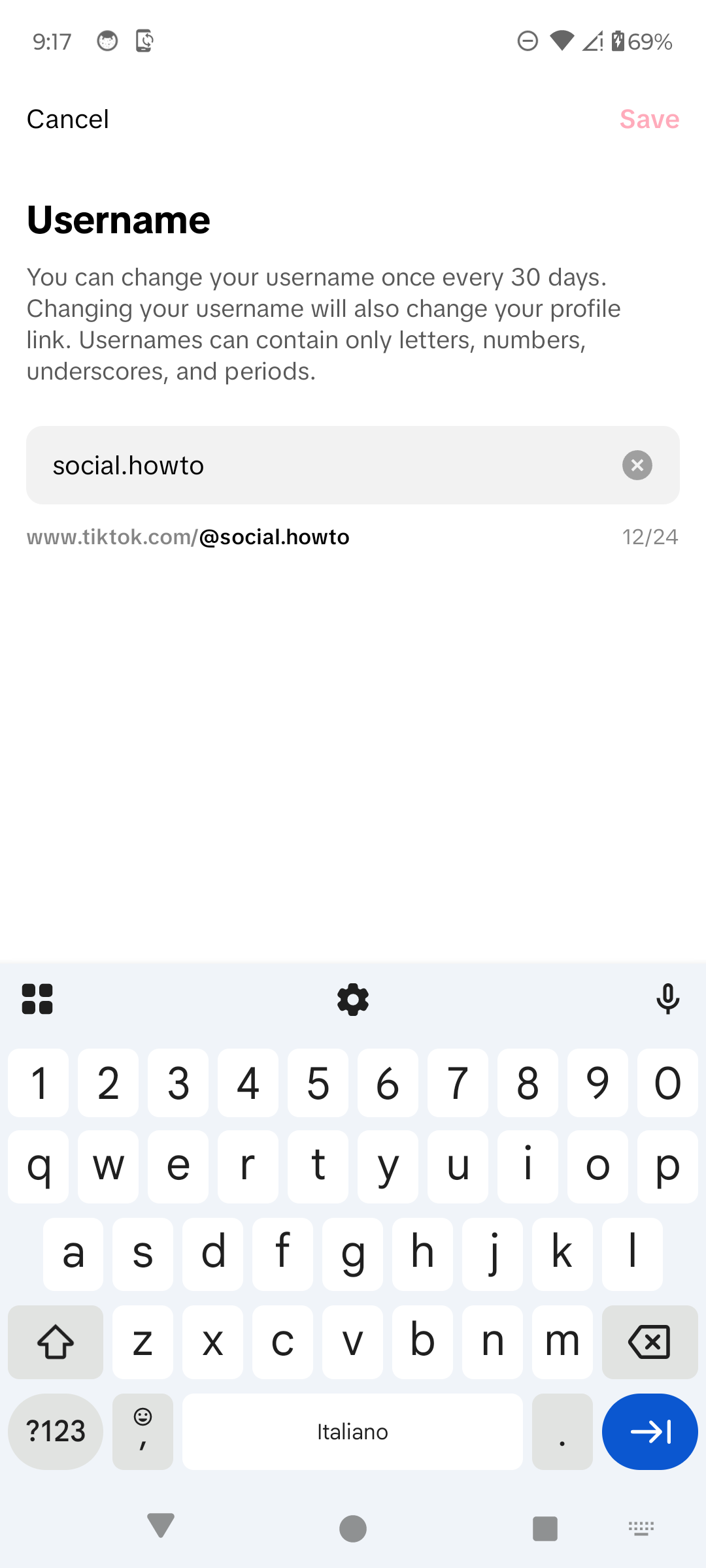
Enter the new username and tap Save. · Tap to enlarge
A couple of useful details
How often can I change my TikTok username?
TikTok currently allows one username change every 30 days.
Does changing my username change my profile link?
Yes. Your TikTok profile URL uses your username, so the link changes too.
Is my username the same as my name?
No. The username begins with @ and forms part of your profile link. Your name, also called a nickname, is the display name people see across TikTok.
Can I immediately reuse my old username?
TikTok says a username you give up may be unavailable to add to an account for a short period of time.
Something not quite right?
Help us keep this guide accurate. A quick flag is enough.
Your report is sent to the Social How-To editorial team.