How to Go LIVE on TikTok and Check Your Eligibility
Check whether your account can use TikTok LIVE and find the LIVE mode in the creation screen.
TikTok currently requires creators to be at least 18 and normally have at least 1,000 followers, although the follower threshold may vary by region. Tap Add post + and look for LIVE among the creation modes.
Before you start
LIVE is not available everywhere and TikTok may ask you to confirm your age. Plan a title and review your LIVE safety and moderation settings before starting a broadcast.
Follow the steps
Check that your account is eligible
TikTok says you must be at least 18 years old and normally have at least 1,000 followers to go LIVE. The follower requirement may vary by region.

Check your account and follower count. · Tap to enlarge Open the creation screen
Tap the Add post + button at the bottom. If your account is eligible, swipe through the modes at the bottom and tap LIVE.
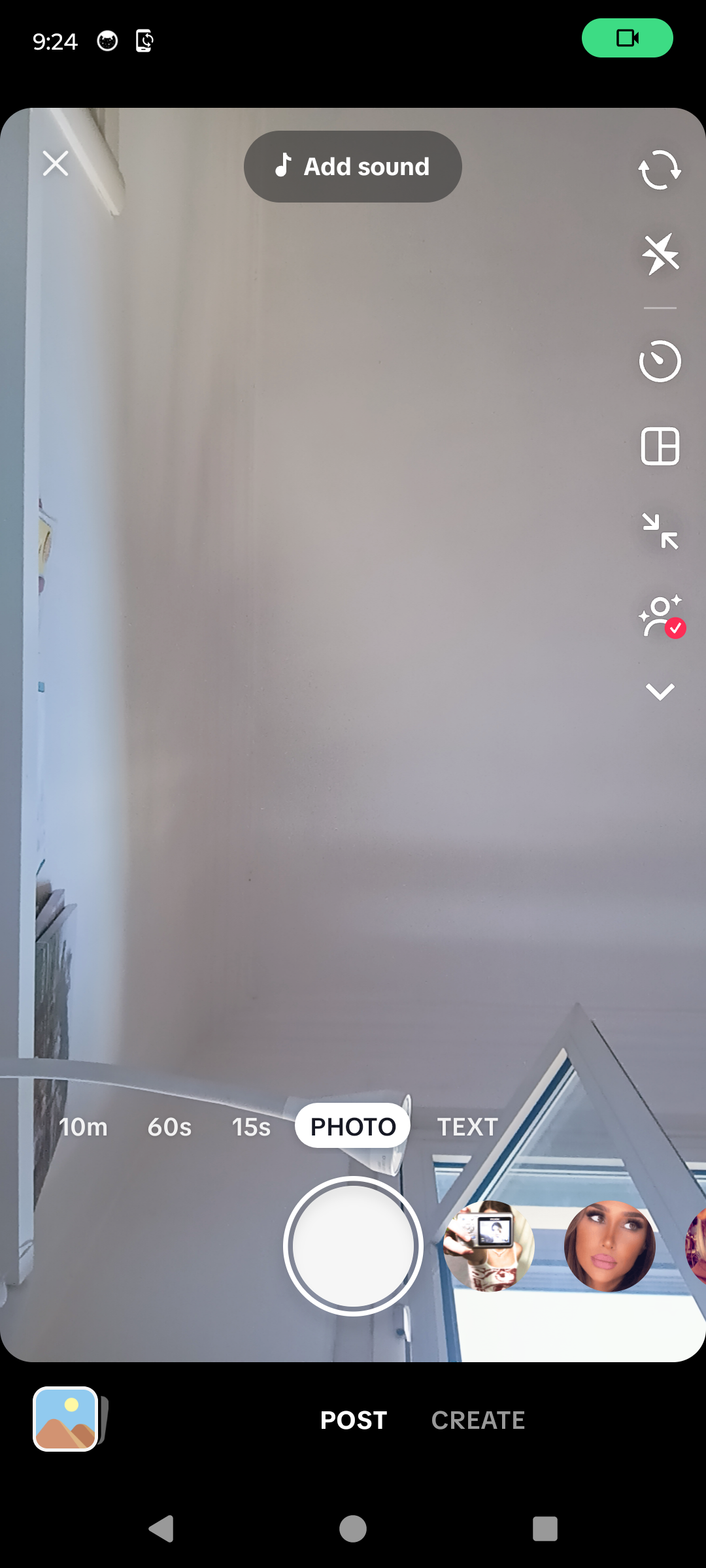
Look for LIVE among the creation modes. · Tap to enlarge
A couple of useful details
How old do I need to be to go LIVE on TikTok?
TikTok says creators must be at least 18 years old to go LIVE.
How many followers do I need?
TikTok's official guidance says 1,000 followers, but notes that this may vary by region.
Why is the LIVE option missing?
The account may not meet the age or follower requirements, LIVE may not be available in the region, or the account may have a restriction.
Does opening LIVE start broadcasting immediately?
No. Eligible accounts first see the LIVE setup screen. The broadcast starts only after you configure it and tap Go LIVE.
Something not quite right?
Help us keep this guide accurate. A quick flag is enough.
Your report is sent to the Social How-To editorial team.