How to Request a Correction to Your Age on TikTok
Open TikTok Support, request a birthdate update, and choose an available age-confirmation method.
Go to Profile, open the menu, tap Settings and privacy, then Help Center under Support & About. Tap Chat with us, choose Account, select I want to update my birthdate, and follow the Edit your age link.
Before you start
TikTok does not show a birthdate field in the current Account information screen. Be ready to confirm your age using one of the methods offered to your account. The available choices can depend on your age, location, and account.
Follow the steps
Open Settings and privacy
Tap Profile, open the menu at the top right, then tap Settings and privacy.
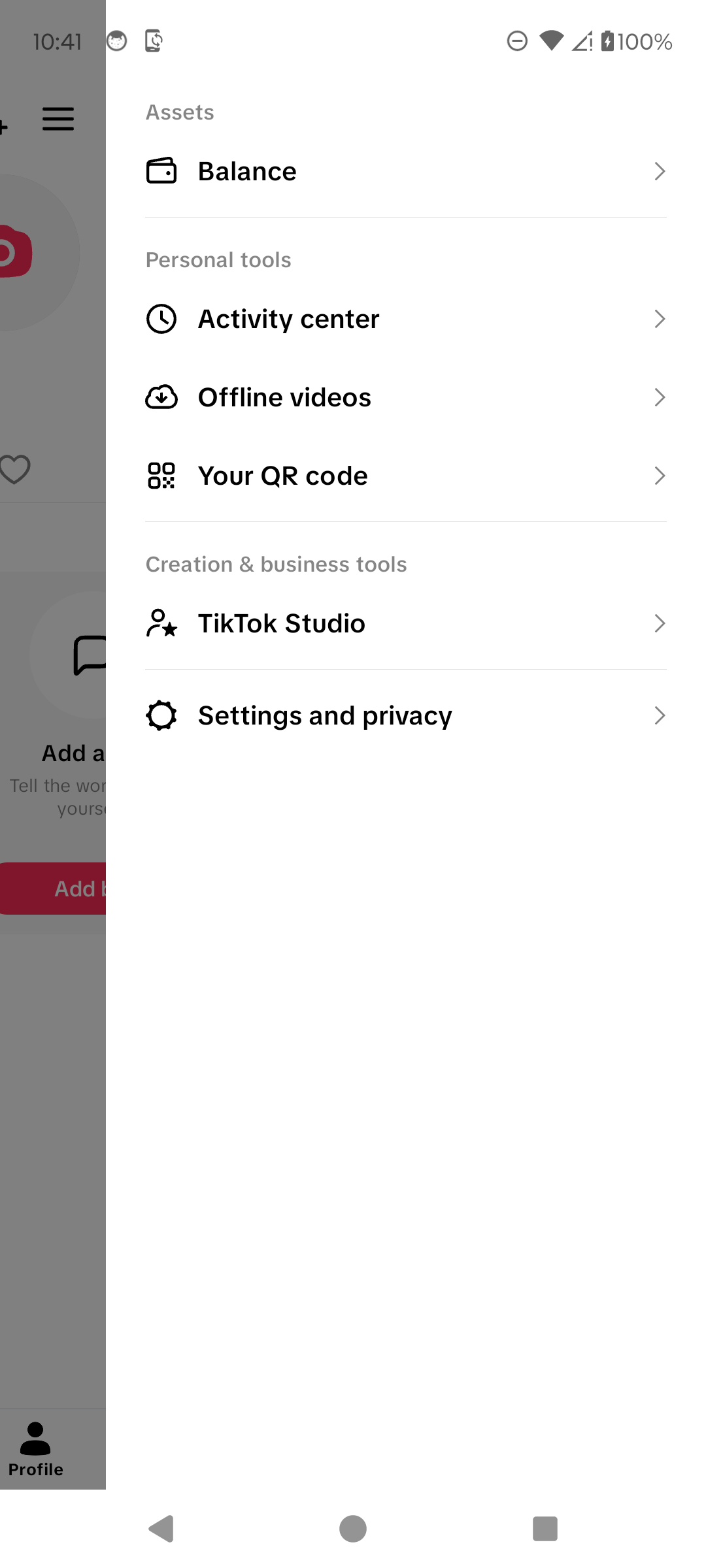
Open Settings and privacy. · Tap to enlarge Open Help Center
Scroll to Support & About, then tap Help Center.
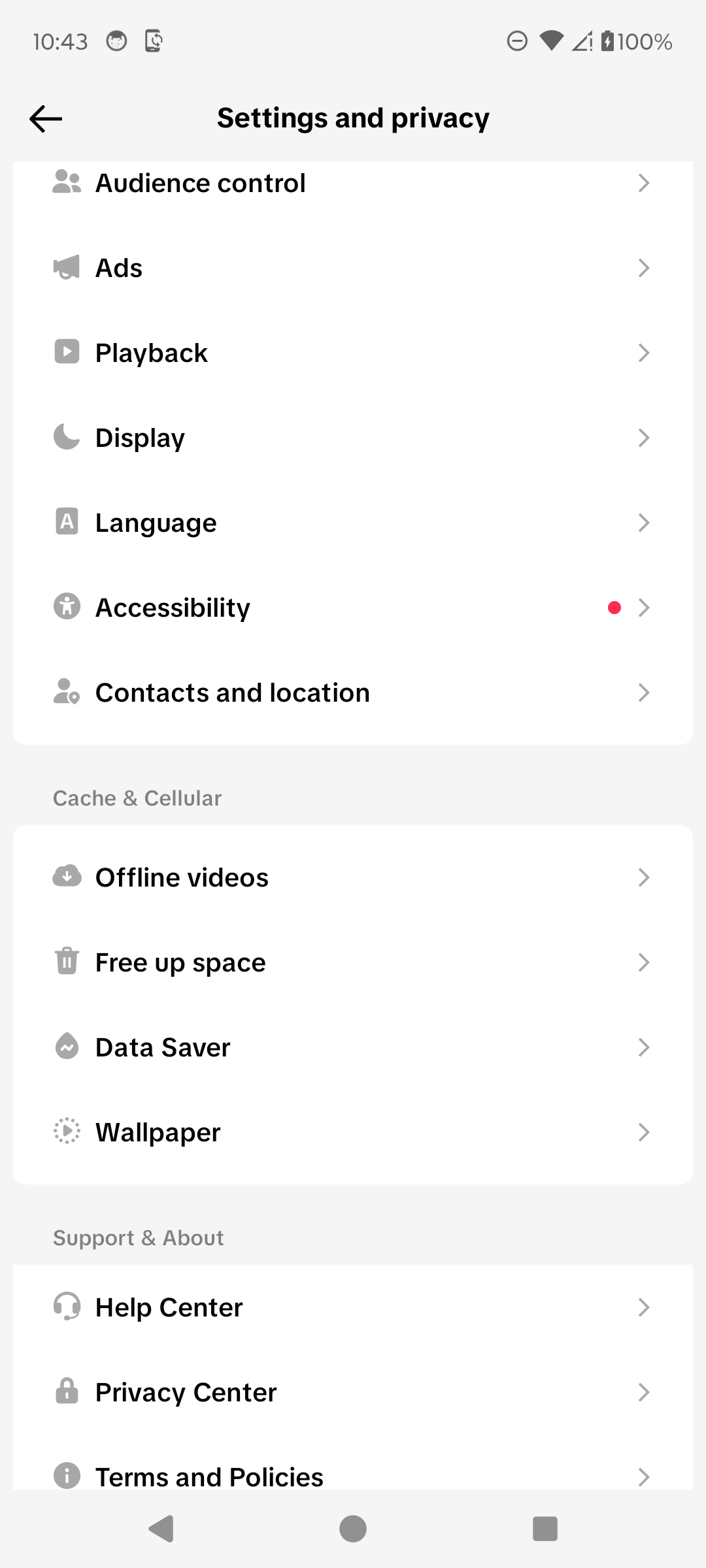
Open the Help Center. · Tap to enlarge Start the support chat
Tap Chat with us at the bottom of the Help Center. This opens the issue categories; it does not submit a request by itself.
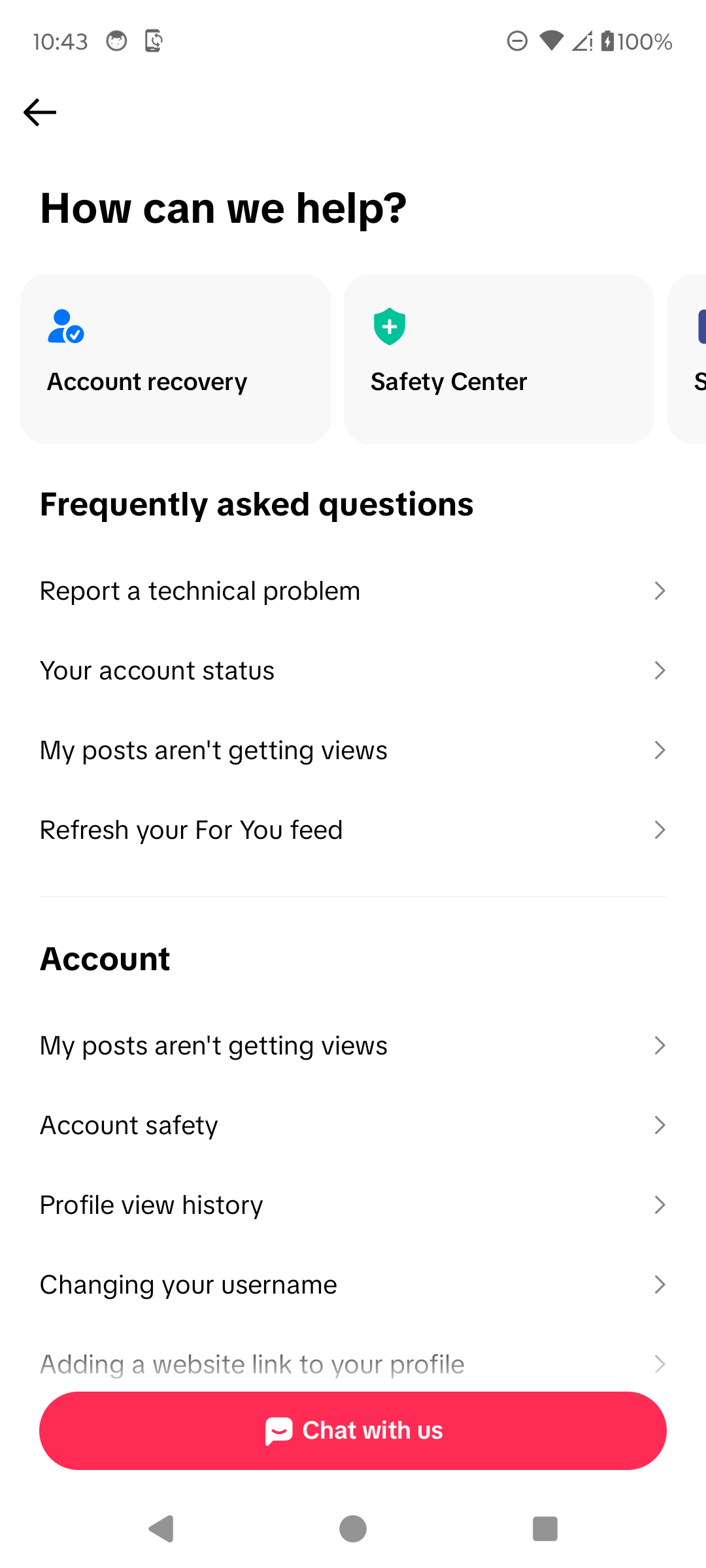
Open TikTok Support. · Tap to enlarge Choose the birthdate topic
Choose Account, then tap I want to update my birthdate in the suggested questions.
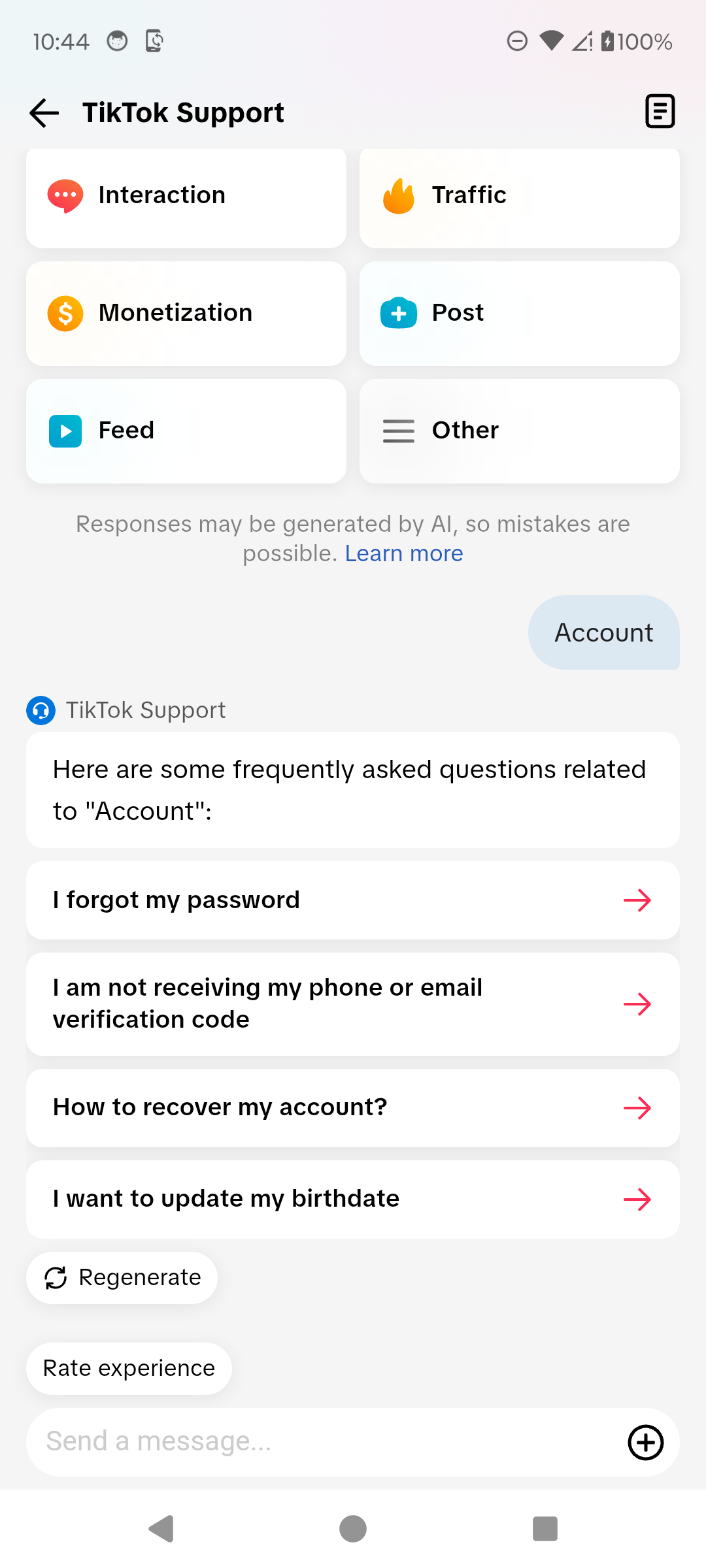
Select the birthdate update topic. · Tap to enlarge Open Edit your age
Read the support response, then tap Edit your age to open the age-confirmation process.
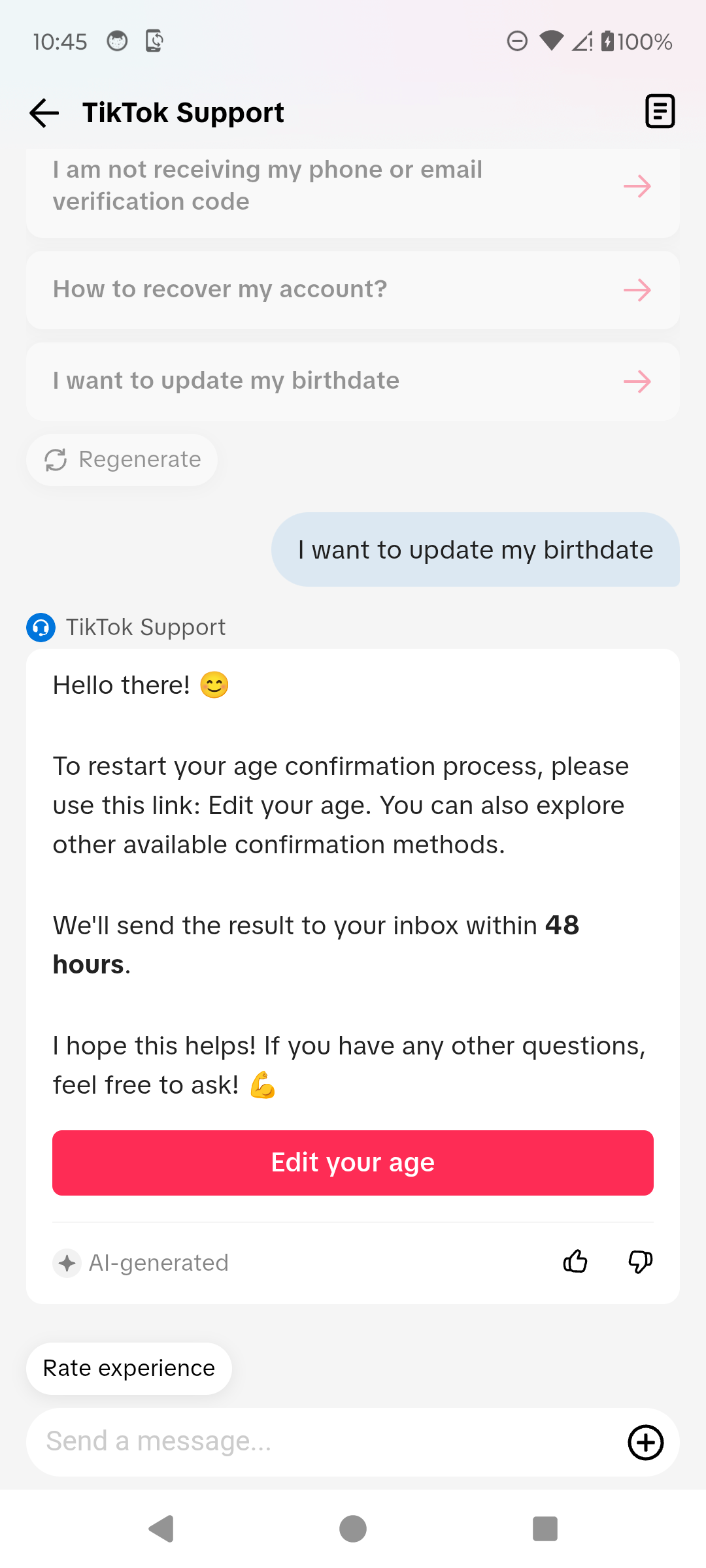
Open the age-confirmation process. · Tap to enlarge Choose a confirmation method
Select one of the methods offered to your account, read how TikTok handles the information, and tap Continue only when you are ready to provide the requested proof.
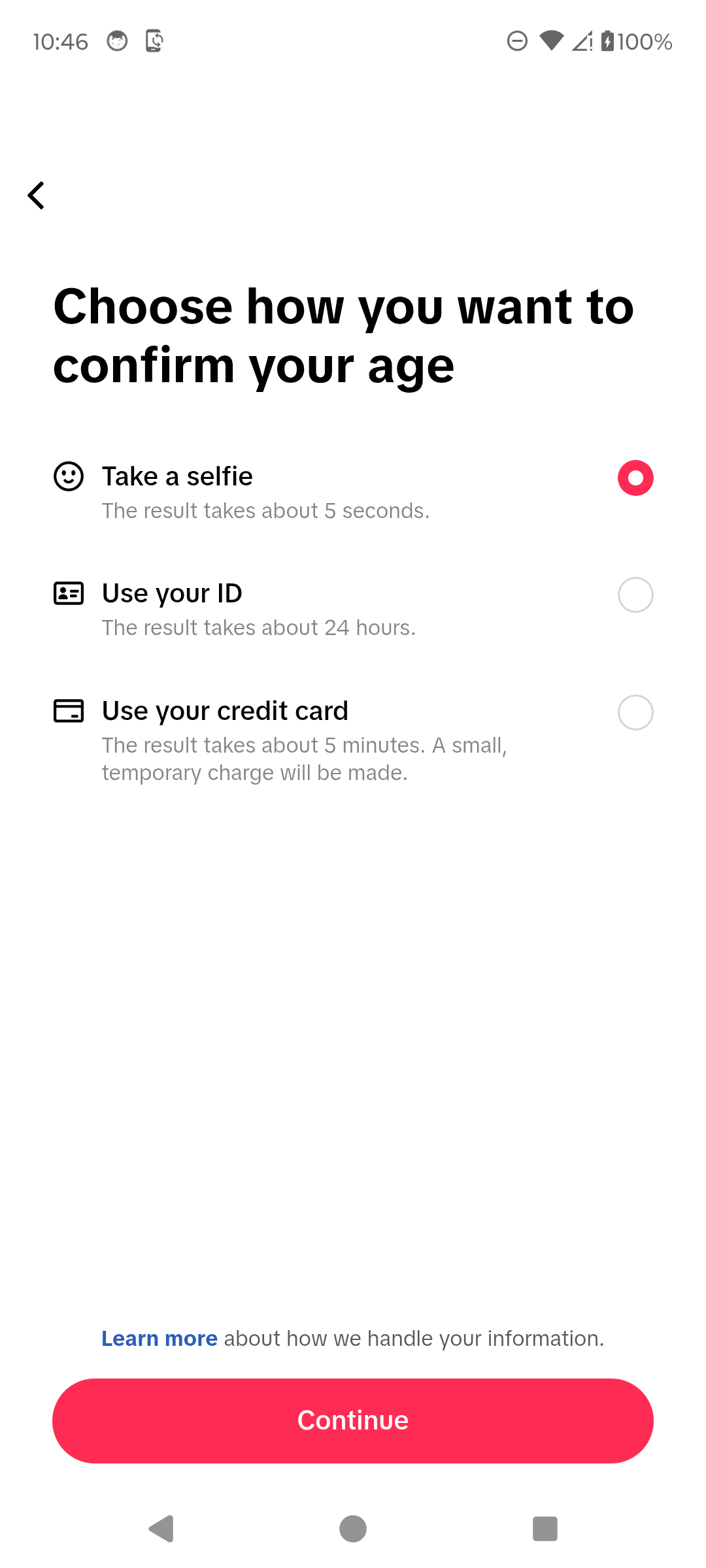
Choose an available confirmation method. · Tap to enlarge
A couple of useful details
Where is the Edit your age link on TikTok?
In the route shown below, open Settings and privacy, then Help Center and Chat with us. Choose Account and I want to update my birthdate. The support response contains Edit your age, which opens the confirmation methods available to your account.
What if the Edit your age link is missing?
These screenshots show the support response available to the account tested. If your support chat does not show the same topic or link, use TikTok's in-app support to explain that your date of birth is incorrect. The route shown here does not guarantee that every account will receive the same choices.
Can I edit my TikTok birthdate directly in Account information?
The current Android Account information screen shows phone, email, and account region, but no editable birthdate field. Use the age-correction route in TikTok Support.
How can TikTok ask me to confirm my age?
On the account tested, TikTok offered a selfie, an ID, or a credit-card check. TikTok may show different methods depending on the account and location.
Does the credit-card method charge me?
TikTok says it makes a small temporary charge for the check. Read the instructions shown in the app before continuing.
How long does an age correction take?
The in-app support response says the result is sent to your TikTok inbox within 48 hours, while the method-selection screen gives shorter estimates for individual checks. Actual review time can vary.
Will my birthdate be visible on my profile?
TikTok's official age-confirmation guidance says your date of birth is not visible to other users.
Something not quite right?
Help us keep this guide accurate. A quick flag is enough.
Your report is sent to the Social How-To editorial team.