How to Block Someone on Facebook
Find a Facebook profile in your blocking settings, review what blocking changes, and confirm only when you are sure.
Open Menu, Settings and privacy, Settings, and scroll to Audience and visibility. Tap Blocking, choose Add to blocked list, search for the profile, tap Block beside the correct result, and review the confirmation before tapping Block again.
Before you start
Check the profile name and picture carefully because people can have similar names. Facebook says blocking prevents several direct interactions and also unfriends the person if you are friends. Facebook does not notify the person that you blocked them, but blocking does not remove every place where you might encounter their content.
Follow the steps
Open Blocking settings
Tap Menu, expand Settings and privacy, and tap Settings. Under Audience and visibility, choose Blocking.

Open Facebook Blocking settings. · Tap to enlarge Start a blocked-profile search
Tap Add to blocked list. Facebook opens a search field where you can enter a name or email address.

Search for the profile you want to block. · Tap to enlarge Select the correct profile
Compare the names and profile pictures in the results. Tap Block beside the correct profile.

Choose the correct profile from the results. · Tap to enlarge Review and confirm
Read what the person will no longer be able to do and note that blocking also unfriends them if needed. Tap Block to confirm or Cancel to leave everything unchanged.
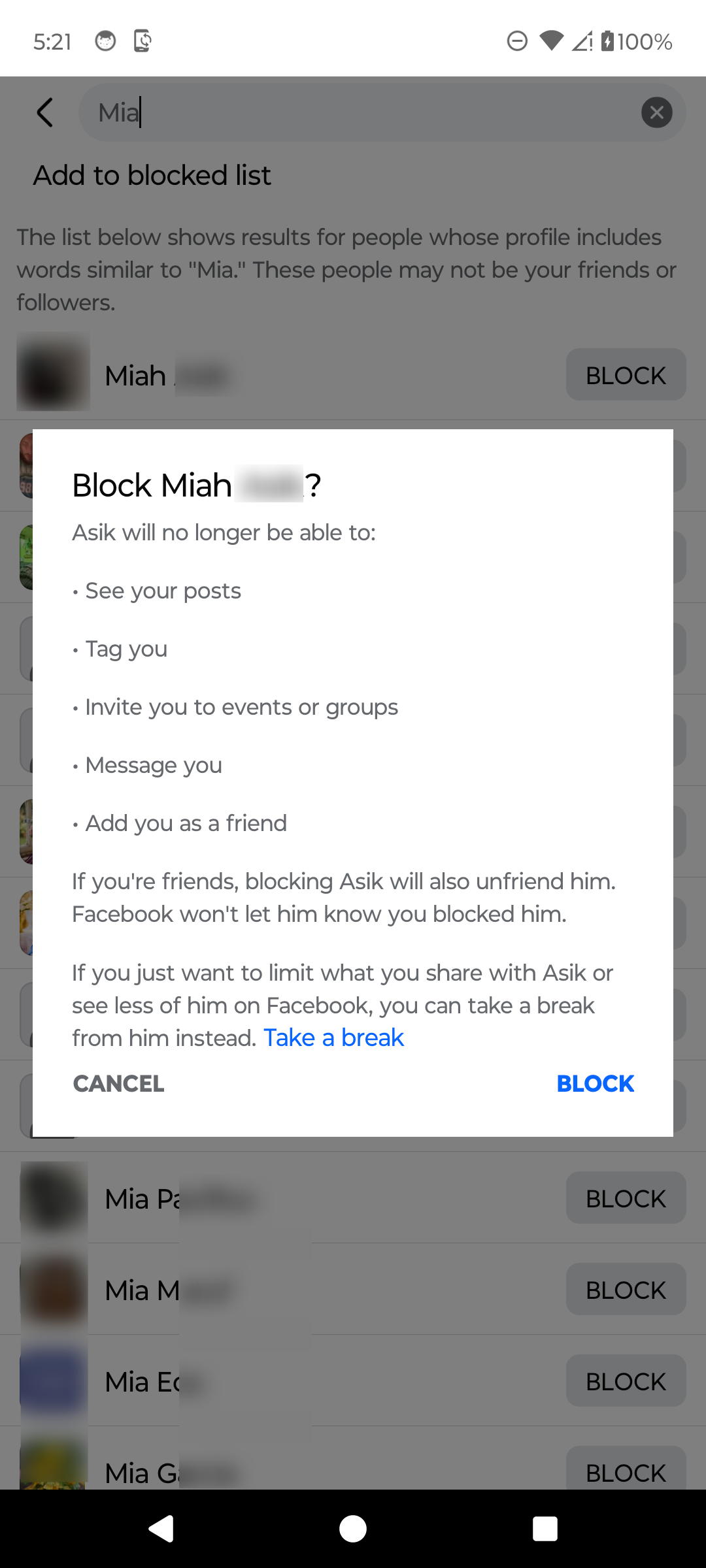
Review the effects before confirming the block. · Tap to enlarge
A couple of useful details
Will Facebook tell someone that I blocked them?
Facebook says it will not notify the person that you blocked them. They may still notice that they cannot find or interact with your profile in the usual ways.
Does blocking someone unfriend them?
Yes. Facebook's confirmation says that blocking also unfriends the person when you are currently friends.
Can a blocked person still see my content somewhere?
Facebook says you may still encounter each other's content in some shared contexts, including mutual-friend content, groups, events, apps, games, and some Marketplace activity.
Can I unblock the profile later?
Yes. Return to Blocking, find the profile in the blocked list, and choose Unblock. Review Facebook's confirmation because temporary restrictions may apply after unblocking.
Something not quite right?
Help us keep this guide accurate. A quick flag is enough.
Your report is sent to the Social How-To editorial team.