How to Delete a Facebook Page
Switch into a Page you control, find its status settings, save any information you need, and review permanent deletion carefully.
Switch into the Facebook Page, open Menu, Settings and privacy, Settings, and scroll to Your information. Tap Access and control, select Delete Page, and continue through the review screens. Download anything you need, then enter your Facebook password only when you are certain you want to request permanent deletion.
Before you start
You need Facebook access with full control to delete a Page. Check that you switched into the correct Page, tell any other managers, resolve active campaigns or business connections, and download information you want to keep. Deactivation and unpublishing are temporary alternatives; deletion removes Page content and messages permanently.
Follow the steps
Open Access and control
Switch into the Page you want to manage. Open Menu, expand Settings and privacy, tap Settings, scroll to Your information, and choose Access and control.
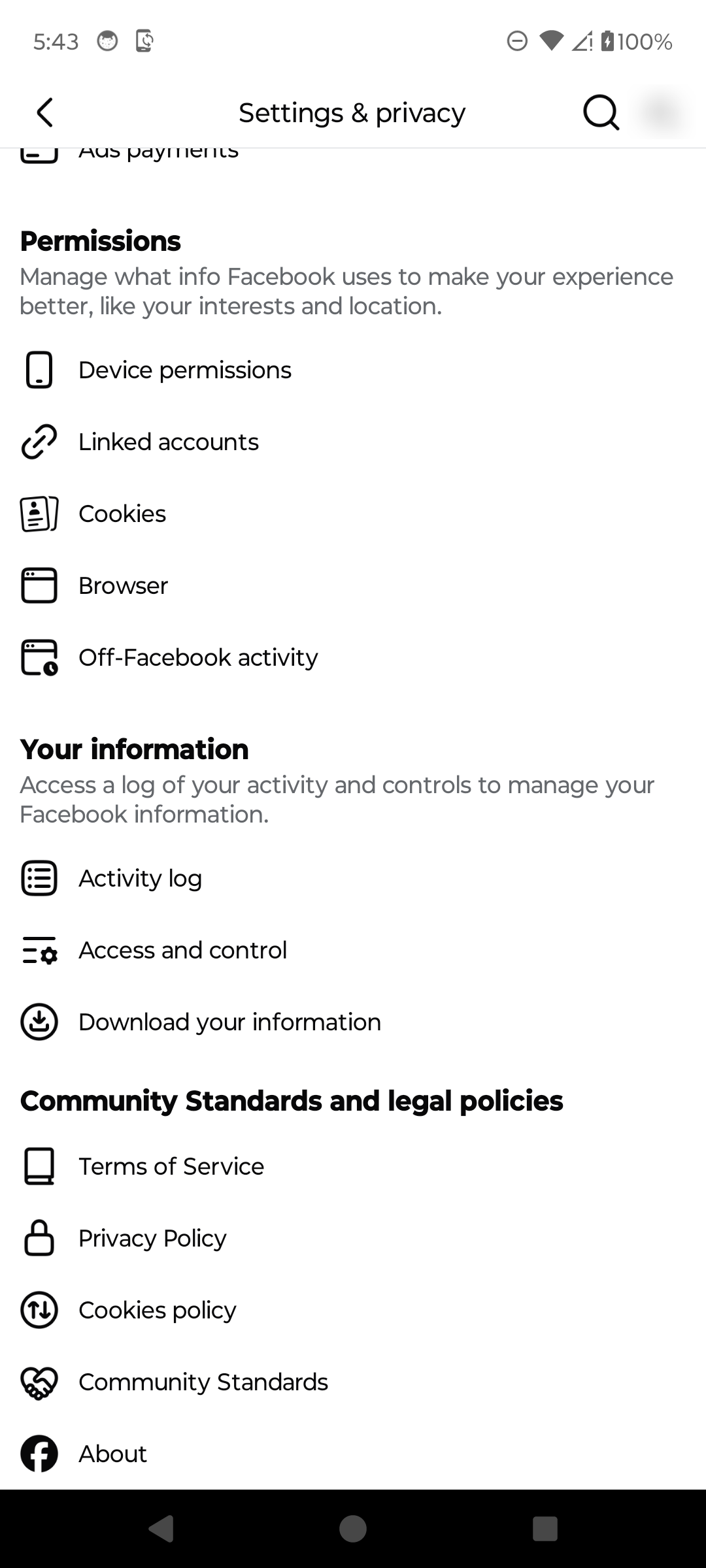
Open Access and control for the Page. · Tap to enlarge Choose permanent deletion
Read the temporary Deactivate Page and Unpublish Page alternatives. Select Delete Page only if you want the permanent option, then tap Continue.

Compare the options before choosing permanent deletion. · Tap to enlarge Continue or choose a reason
Facebook may ask why you are deleting the Page and offer help for common problems. Choosing a reason is optional in the reviewed flow; tap Continue when ready.
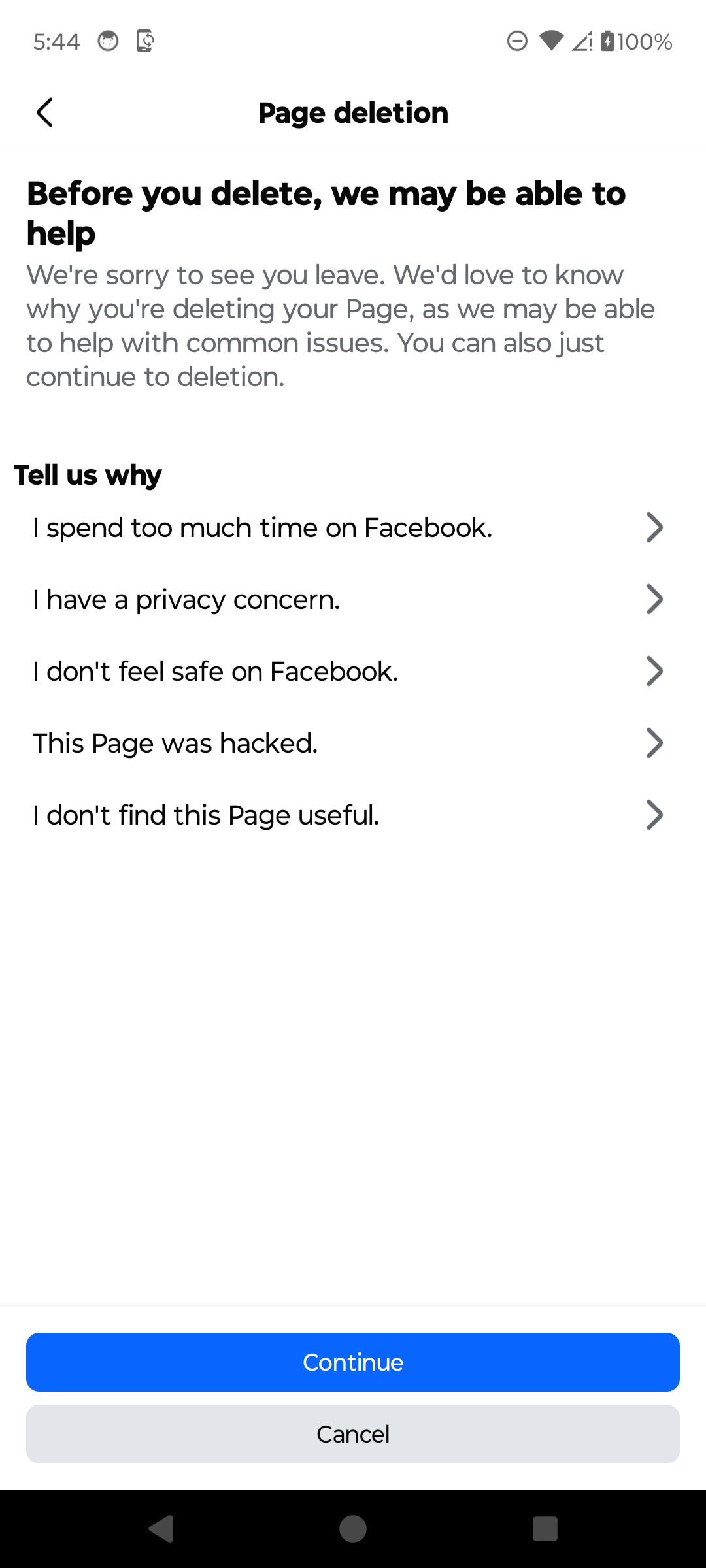
Review the help options or continue. · Tap to enlarge Save information and confirm carefully
Use Download info if you need a copy of Page content. Continuing leads to a password confirmation. Enter the password and complete that final step only when you are certain the correct Page should be deleted.
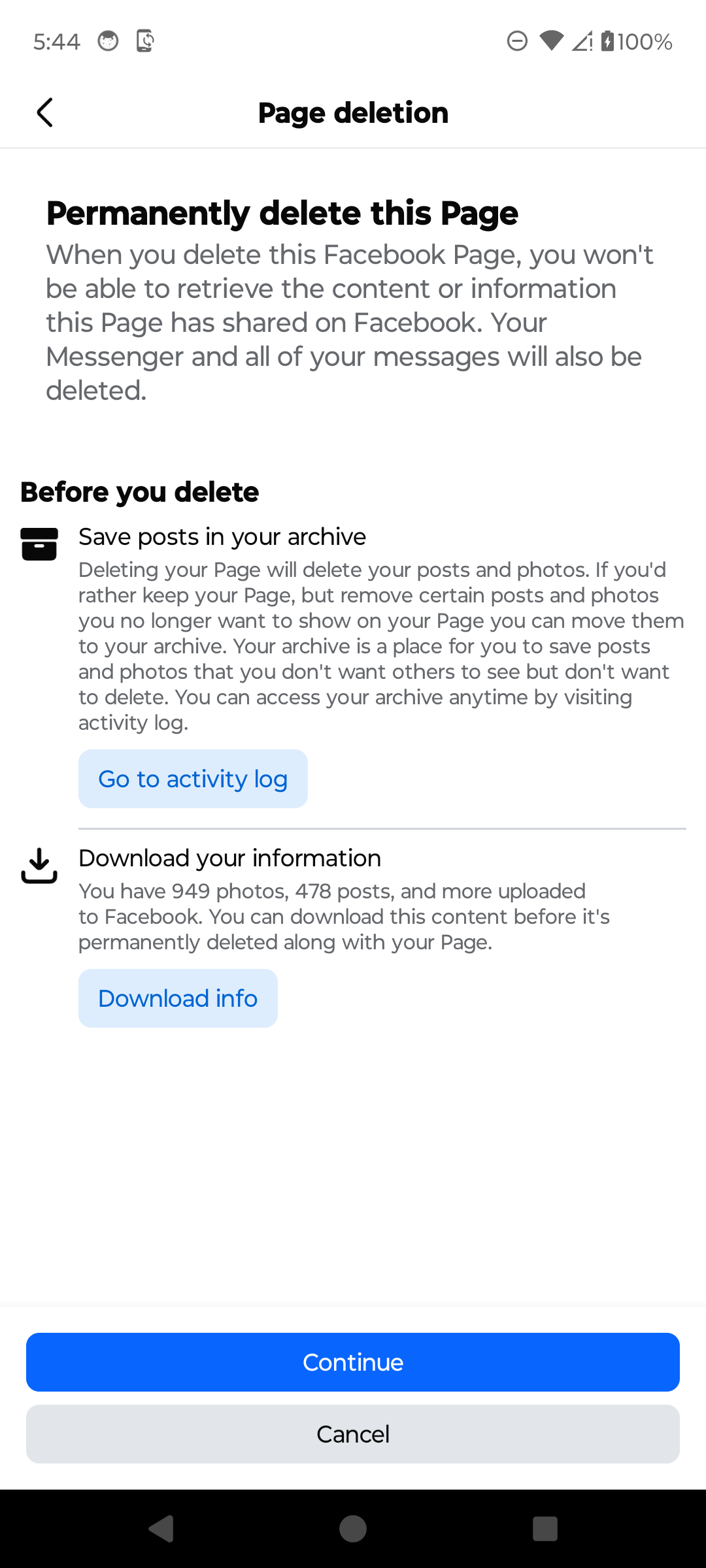
Download anything you need before the final confirmation. · Tap to enlarge
A couple of useful details
Can every Page manager delete a Facebook Page?
No. Facebook says deleting a Page requires Facebook access with full control. People with task access or limited control cannot delete it.
What is the difference between deactivating, unpublishing, and deleting a Page?
Deactivation disables the Page and can be reversed. Unpublishing limits the Page to its managers and can also be reversed. Deletion is the permanent option and removes the Page's content and messages.
Can I download the Page's information first?
Yes. Facebook shows a Download your information option before the final confirmation. Allow time for the download to be prepared before deleting the Page.
Why does Facebook ask for my password?
The current Android flow requires the password for the personal Facebook account that controls the Page before the deletion request can be confirmed.
Something not quite right?
Help us keep this guide accurate. A quick flag is enough.
Your report is sent to the Social How-To editorial team.