How to Make Your Facebook Profile More Private
Use Facebook Privacy Checkup to review who can see your profile information, future posts, stories, tags, and other activity.
Open Menu, expand Settings and privacy, tap Settings, and open Privacy Checkup. Choose Who can see what you share, then review Profile information, Audience, Tagging, and Blocking. Select a more limited audience for each item that should not be public.
Before you start
Facebook does not provide one universal switch that makes every part of a profile private. Review each setting and choose the audience that fits the information. Public content may be visible to anyone on or off Facebook, while limiting a tagged post on your profile does not necessarily remove it from Feed, search, or the original audience.
Follow the steps
Open Privacy Checkup
Tap Menu, expand Settings and privacy, and tap Settings. Under Tools and resources, choose Privacy Checkup.
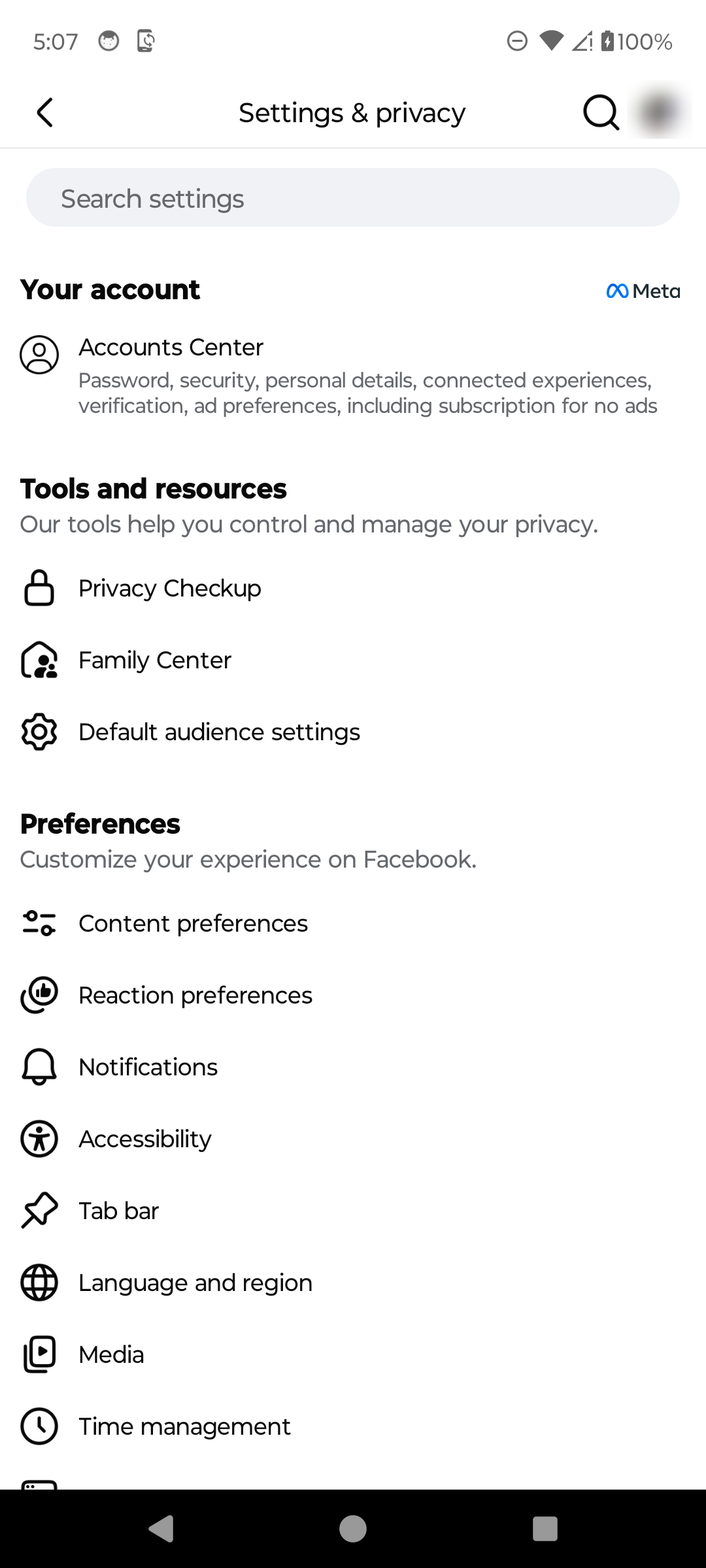
Open Facebook Privacy Checkup. · Tap to enlarge Choose what to review
Start with Who can see what you share. Return later to review how people find you, data settings, account security, and ad preferences.
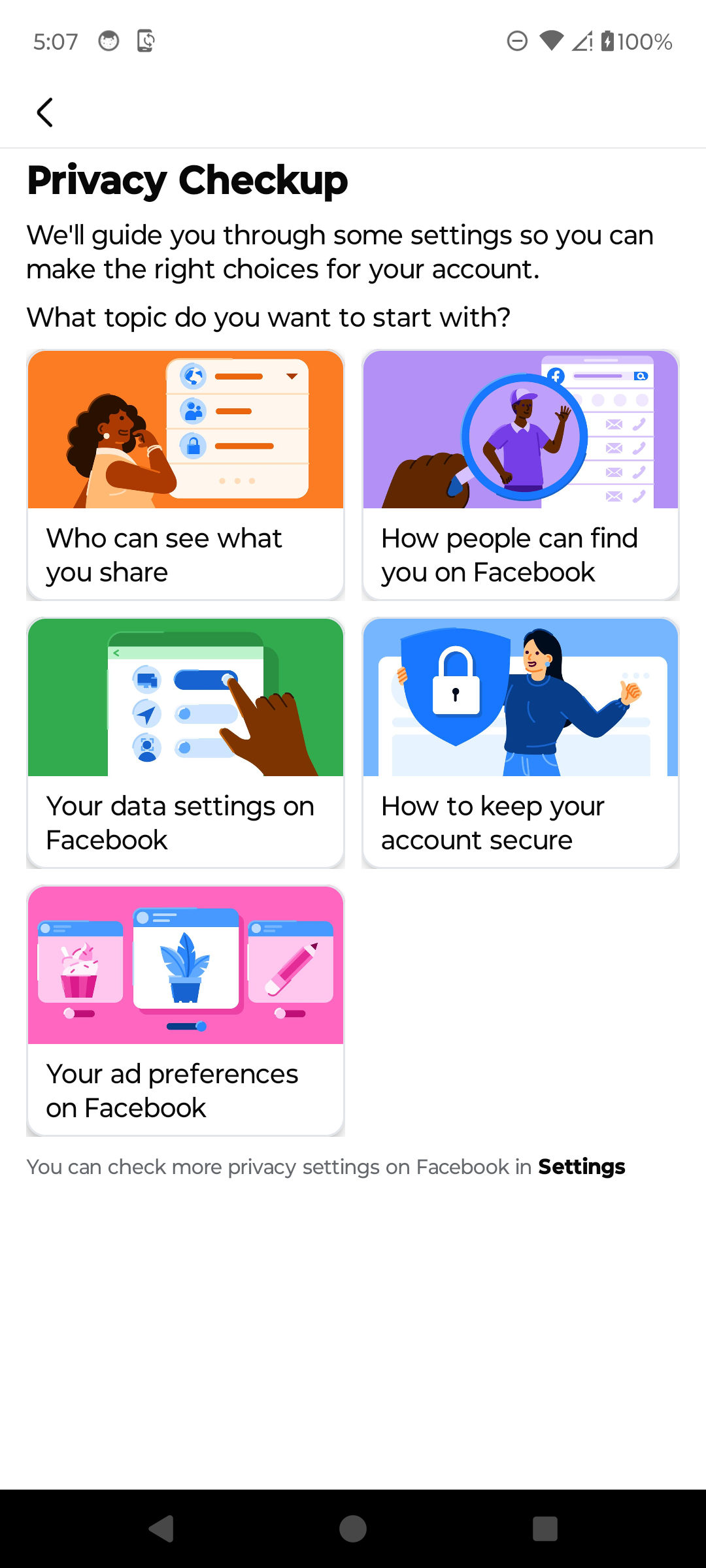
Choose Who can see what you share. · Tap to enlarge Review profile information and audiences
Continue through Profile information without exposing private details. In Audience, review who can see future posts, reels, stories, and eligible past posts.
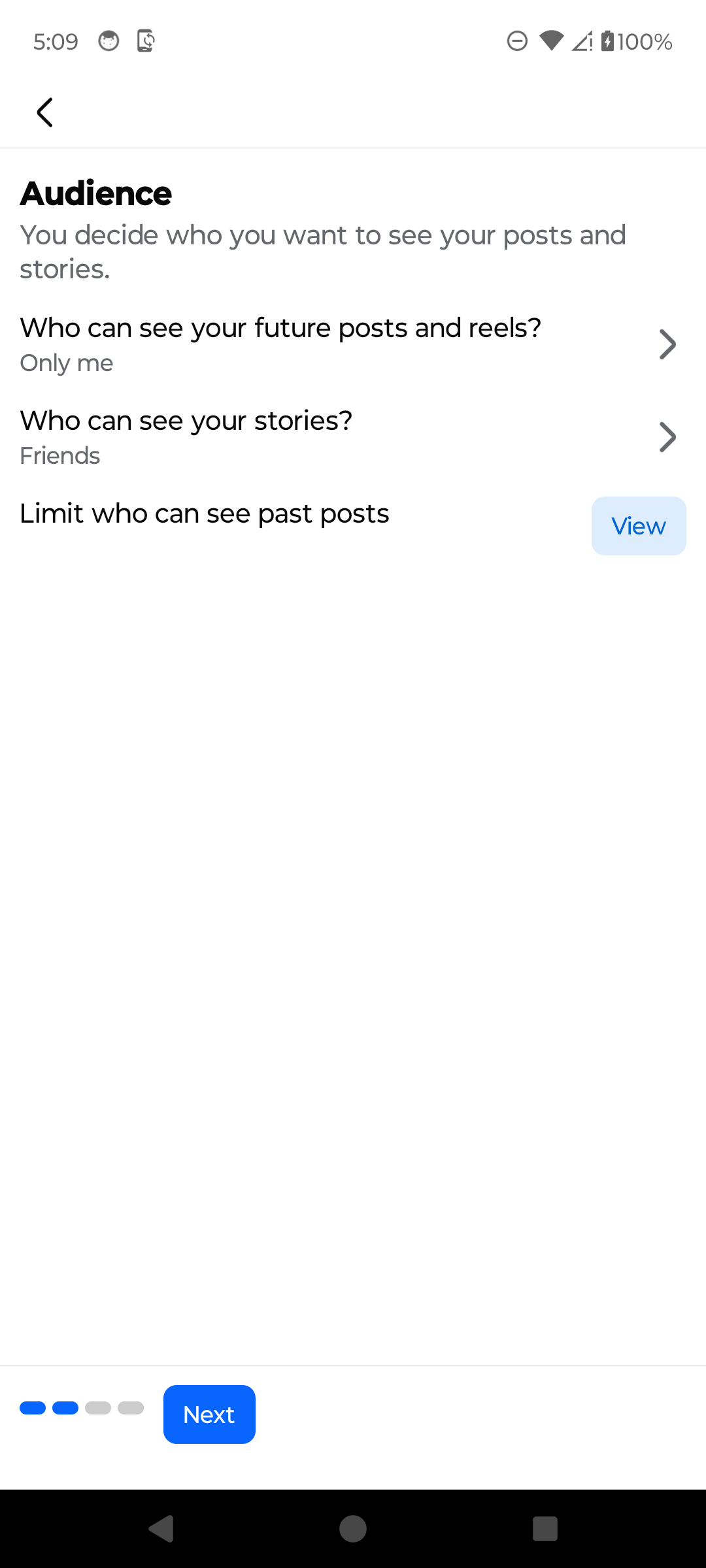
Review the audience for posts and stories. · Tap to enlarge Review tagging controls
Choose who can see posts you are tagged in and whether Facebook should ask you to review tags or tagged posts before they appear on your profile.
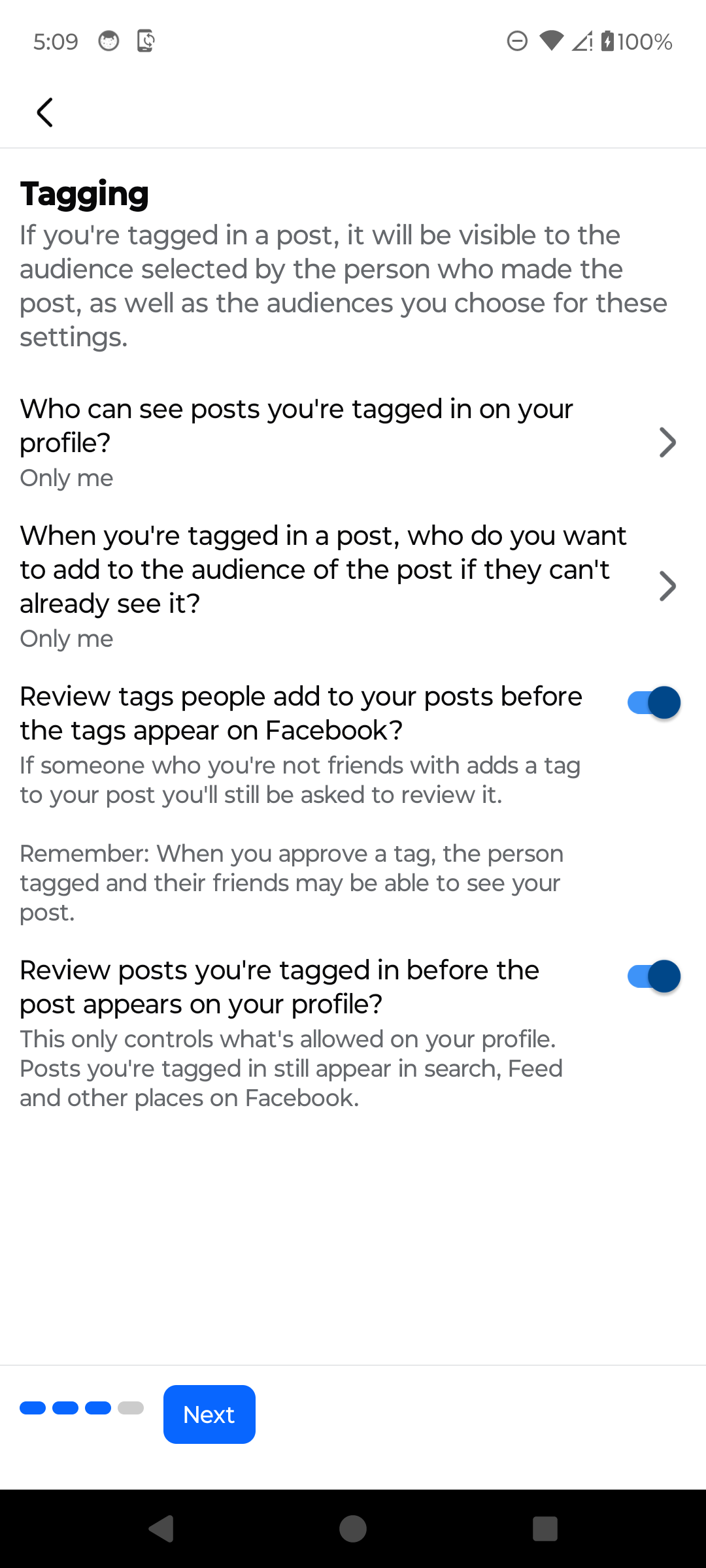
Review how tags affect your profile. · Tap to enlarge Review blocking and finish the checkup
Open Blocking if you need to review blocked accounts. Finish the checkup, then return to its other topics to review how people can find you and how the account is secured.
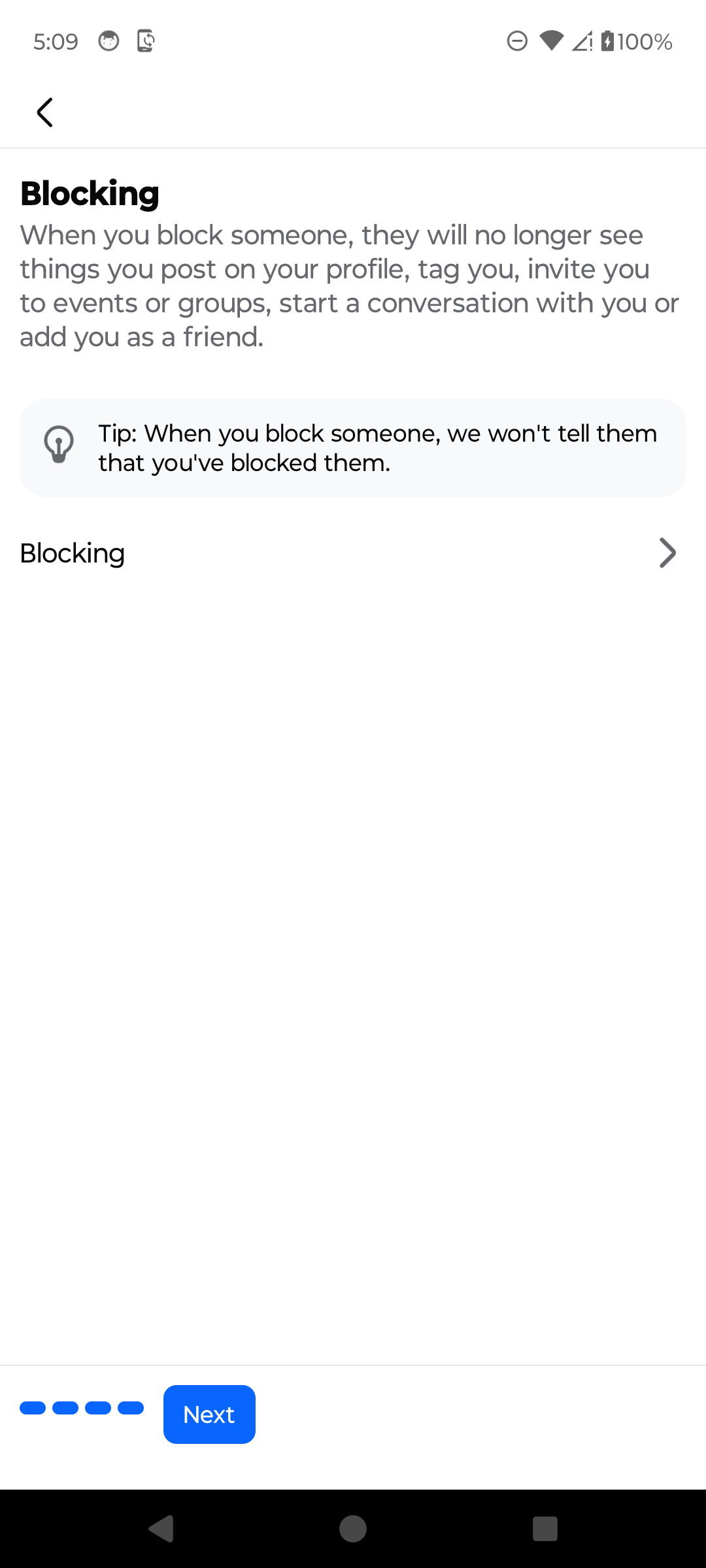
Review blocking and complete the privacy checkup. · Tap to enlarge
A couple of useful details
Can I make my entire Facebook profile private with one switch?
Facebook's current Privacy Checkup reviews several separate controls. Check profile information, posts, stories, tags, how people find you, and other settings individually.
Which audience is the most private?
Only me is the most limited standard audience, but it is not available for every setting. Choose Friends or a custom audience when other people still need access.
Does limiting past posts hide everything I posted?
It changes the audience for eligible past posts, but Facebook may show additional details before applying the change. Review that explanation carefully because the action can affect many posts.
Does tag review remove a post from Facebook?
No. Profile review controls whether a tagged post appears on your profile. The post may still be visible in Feed, search, and other places to the audience selected by its creator.
Something not quite right?
Help us keep this guide accurate. A quick flag is enough.
Your report is sent to the Social How-To editorial team.