How to Contact Instagram Support and Report a Problem
Use Instagram’s built-in Help and support route to report a technical problem and choose whether to include diagnostic logs.
Open Settings and activity, tap Help, choose Report a problem, then describe the issue and attach useful screenshots before tapping Send.
Before you start
For abuse, spam, impersonation, or unsafe content, use the reporting controls on the relevant account or content. The technical-problem form explicitly says not to use it for abuse or spam.
Follow the steps
Find Help
Open your profile menu, choose Settings and activity, scroll to More info and support, and tap Help.
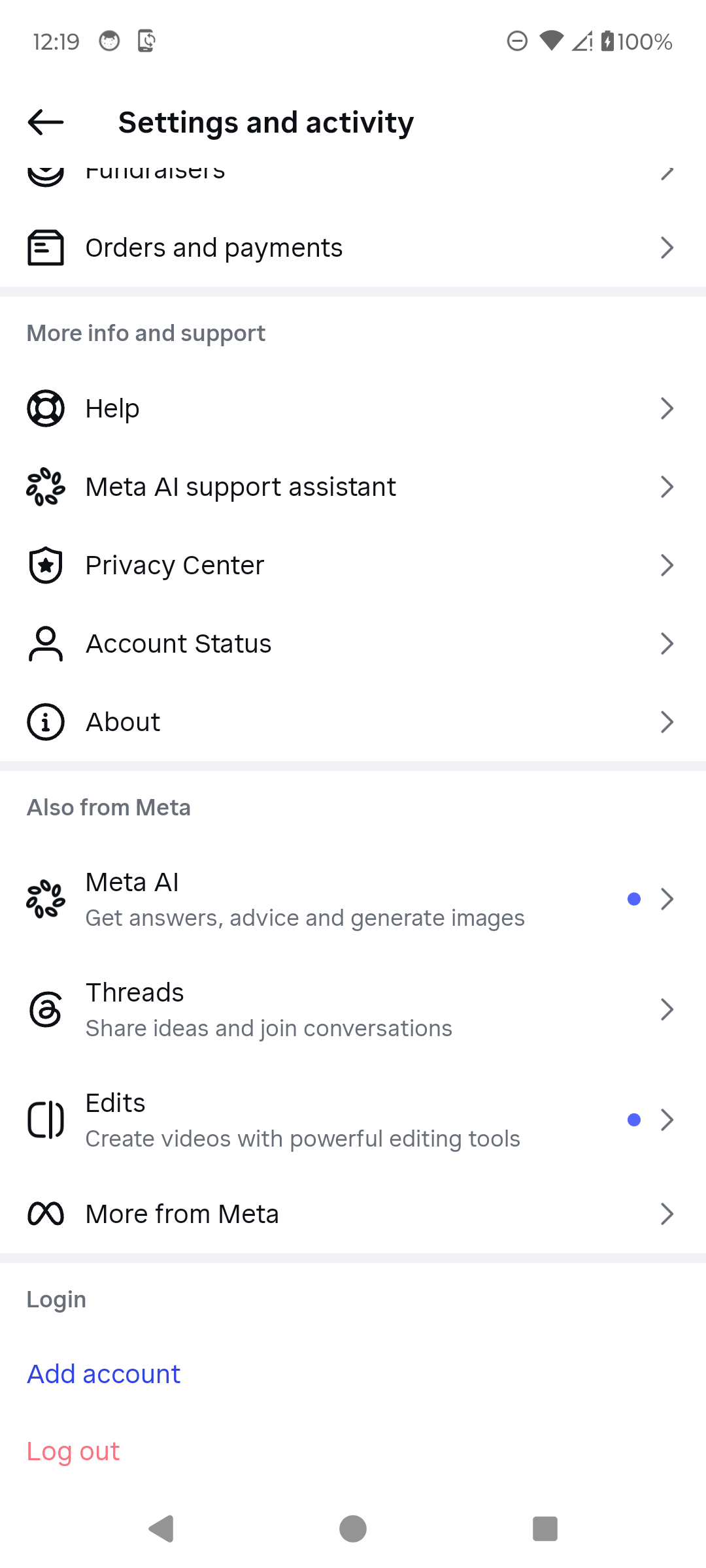
Open Help from Settings and activity. · Tap to enlarge Choose Report a problem
On Help and support, tap Report a problem. Account Status and support activity are available on the same screen for related checks.
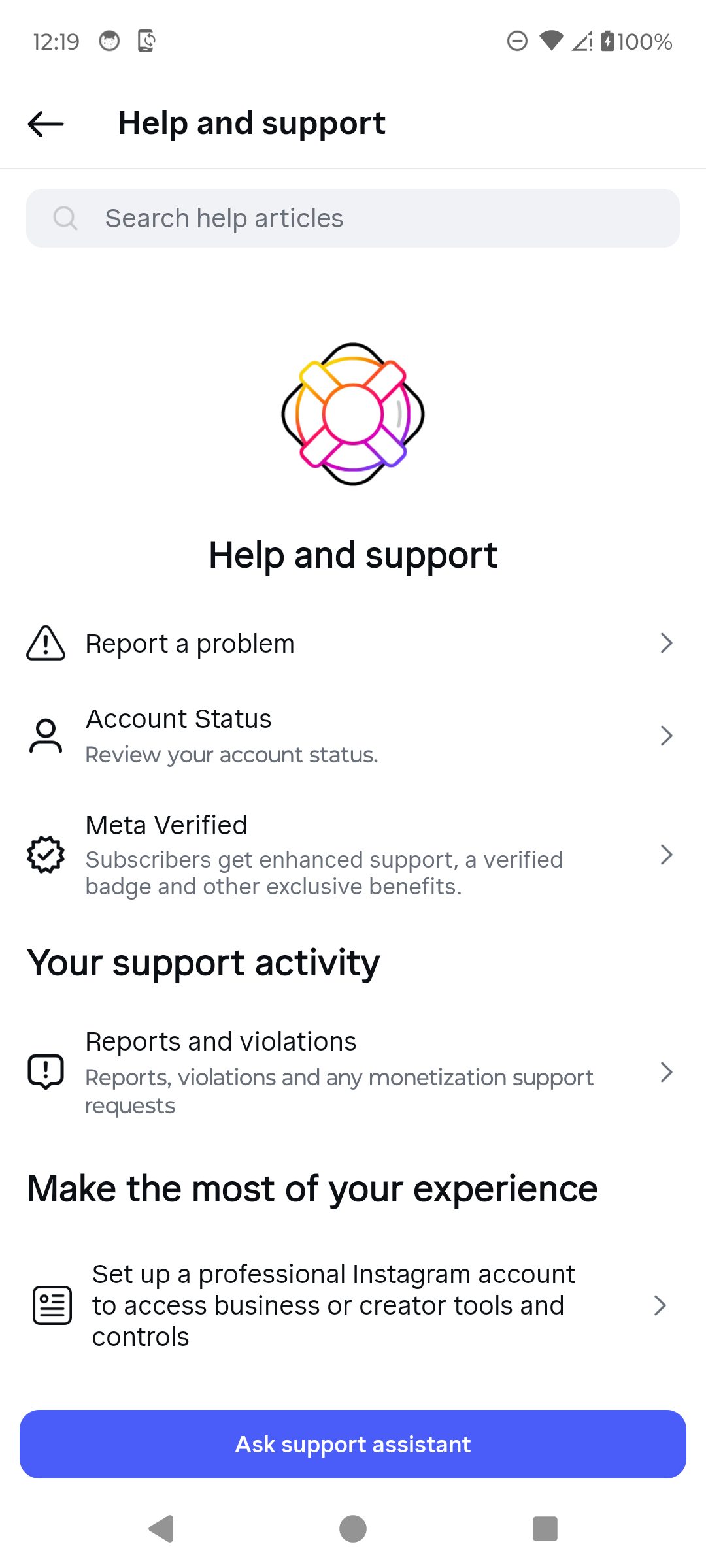
Choose Report a problem. · Tap to enlarge Continue without shaking
You can return to the broken screen and shake the phone, or tap Report problem without shaking. Do not use this route for abuse or spam.
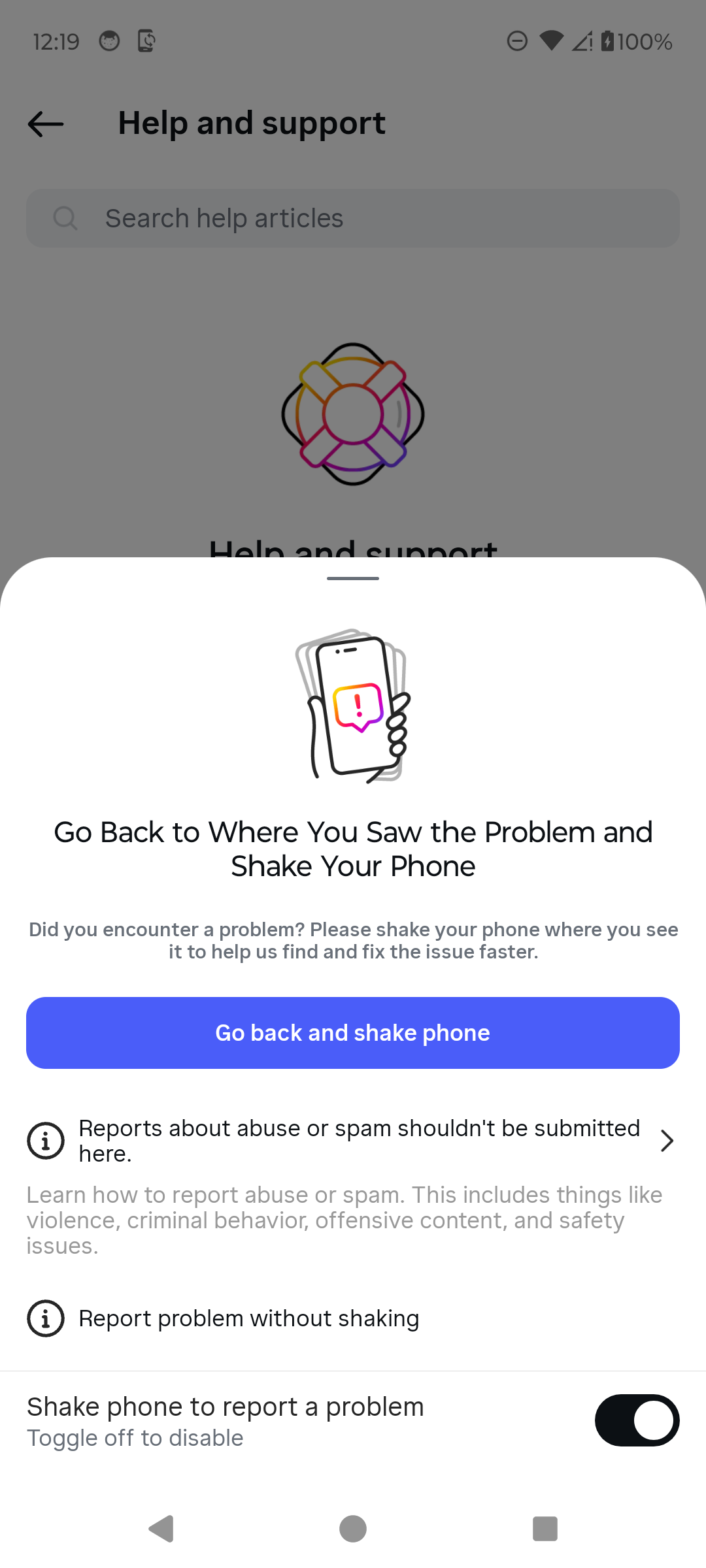
Choose the reporting method. · Tap to enlarge Choose diagnostic sharing
Read what complete logs and diagnostics include. Choose Include and continue or Don’t include and continue based on what you want to share.
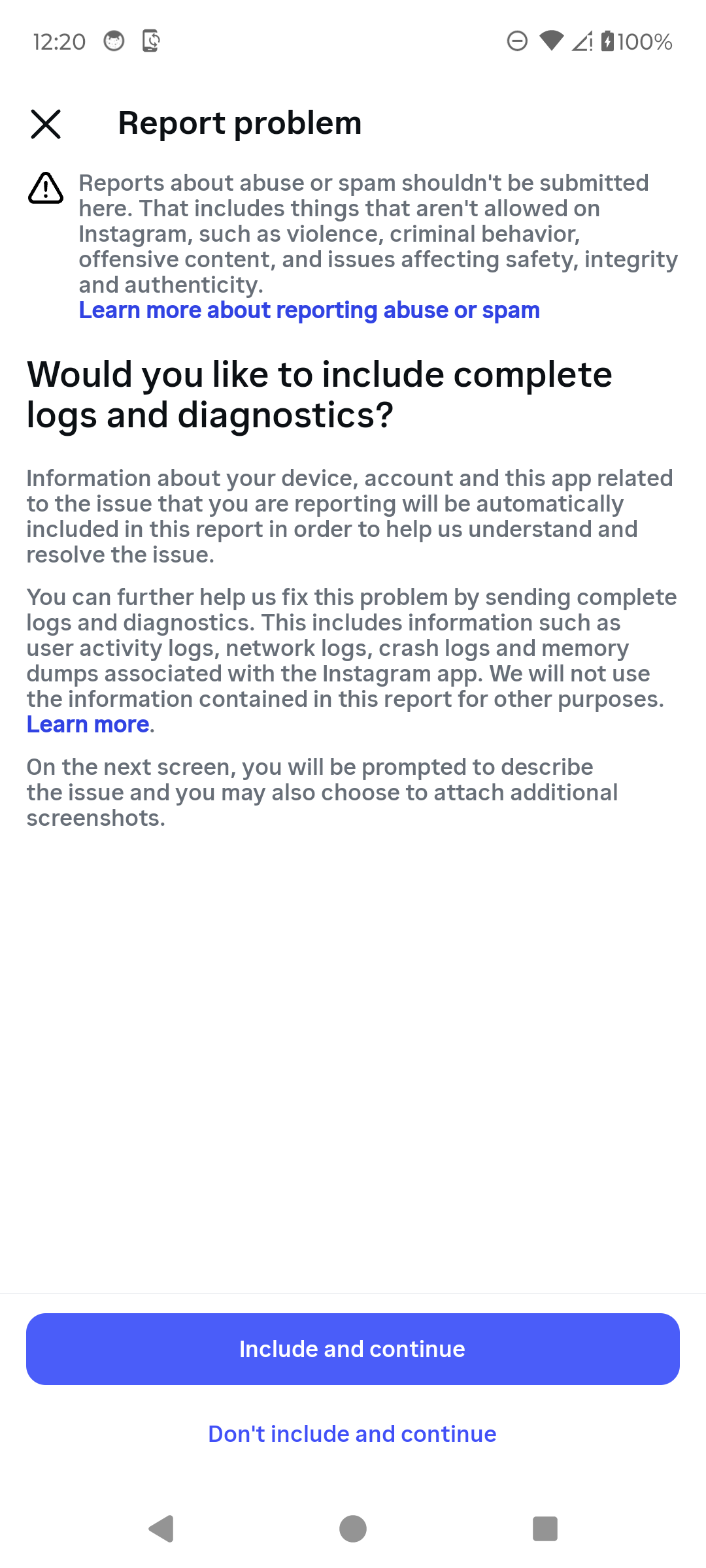
Choose how much diagnostic data to share. · Tap to enlarge Describe the problem
Briefly explain what happened, add a screenshot when useful, remove personal information, then tap Send only when the report is ready.
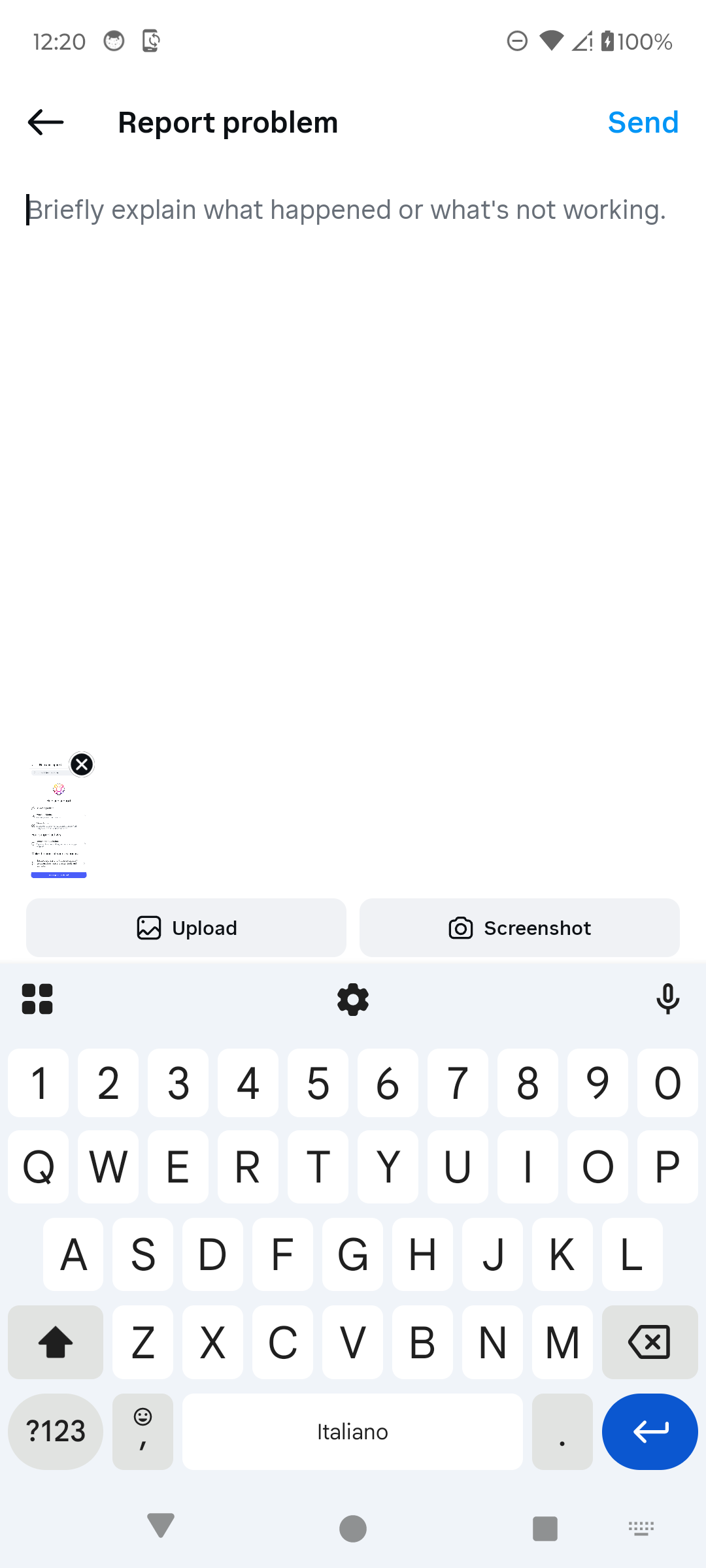
Describe the issue before sending. · Tap to enlarge
A couple of useful details
Can I report a problem without shaking my phone?
Yes. The current Android flow includes Report problem without shaking.
Should I include complete logs?
Only if you are comfortable sharing the additional diagnostics described on screen. Instagram also offers Don’t include and continue.
Where can I check reports later?
Help and support includes Reports and violations under Your support activity.
Something not quite right?
Help us keep this guide accurate. A quick flag is enough.
Your report is sent to the Social How-To editorial team.