How to Turn Off Profile Views on TikTok
Find and disable Viewer history using the layout shown in this guide, and check which views your setting covers.
On the account shown here, open Profile, tap the menu, choose Settings and privacy, open Viewers under Interactions, and turn off Viewer history. If your settings look different, read the description of the available view-history control before changing it.
Before you start
On the tested account, the Viewer history description covers profile visits from the past 30 days and eligible post views. Turning it off also stops you seeing that viewer history. Check the description on your own account because the controls available to you may differ.
If your settings look different
This walkthrough shows Viewers and Viewer history as displayed on the tested account. Your account or app version may use a different layout. Read the description beside your switch before changing it, especially whether it refers to profile visits, post views, or both.
The screenshot demonstrates the setting on that account. It does not establish that every TikTok account has the same combined control. If Viewers is missing, consult TikTok's profile view history help and use the report form below to describe the difference.
Follow the steps
Open Settings and privacy
Tap Profile, open the three-line menu, then choose Settings and privacy.

Open Settings and privacy. · Tap to enlarge Open Viewers
Scroll to the Interactions section and tap Viewers.

Open the Viewers settings. · Tap to enlarge Turn off Viewer history
Turn off Viewer history. The switch should remain gray when the setting is disabled.
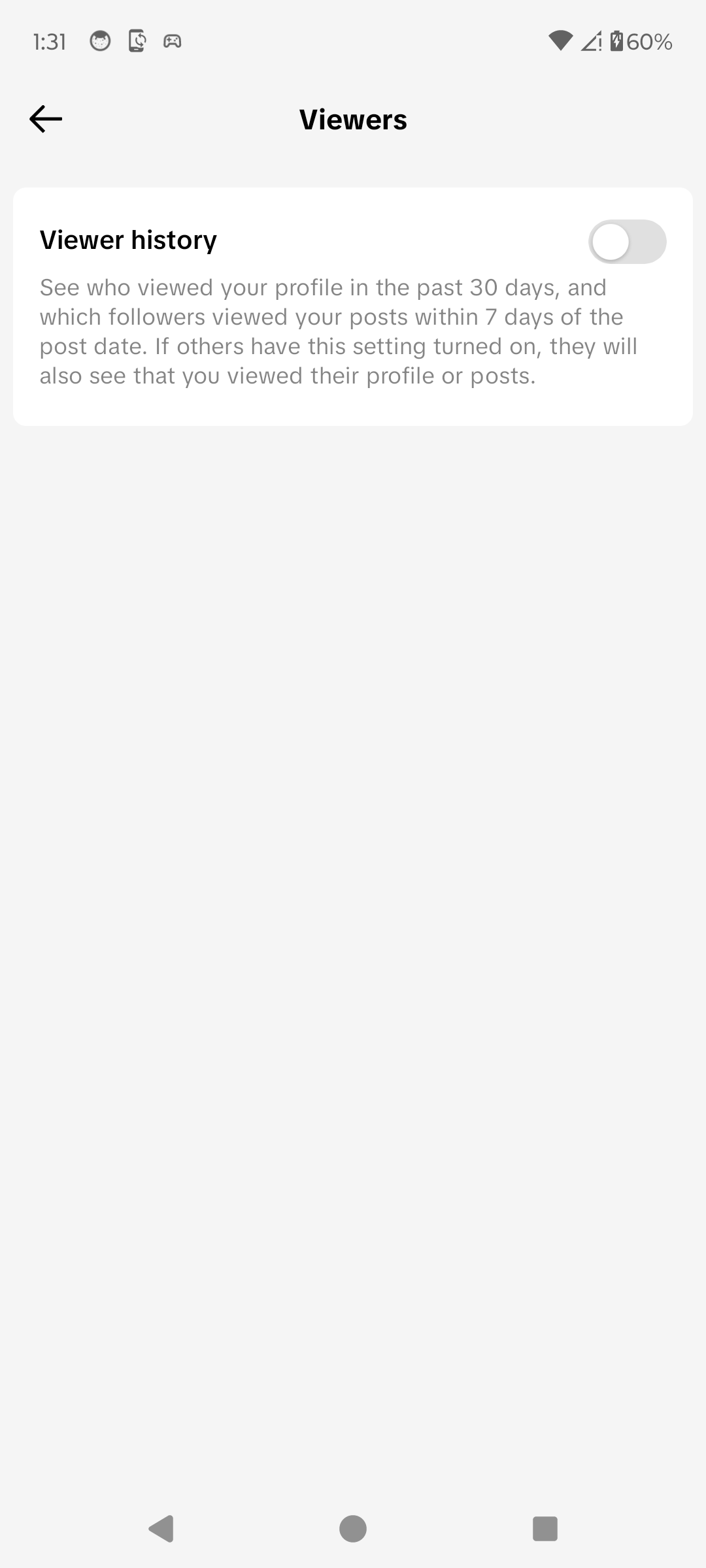
Viewer history is now off. · Tap to enlarge
A couple of useful details
What does Viewer history include?
On the account documented here, the setting describes profile views from the past 30 days and eligible post views from followers within seven days of posting. Read the description in your own app to confirm what its switch covers.
Will people see my past visits after I turn it off?
TikTok describes this as a mutual setting: eligible people see your views when both sides have the setting enabled.
Why can’t I find this option?
Feature availability can depend on age, follower count, region and app version. Update TikTok and check the Viewers section again.
Something not quite right?
Help us keep this guide accurate. A quick flag is enough.
Your report is sent to the Social How-To editorial team.